Personalizing Classroom Design

“I’ve seen first-hand how teachers are making an effort to “modernize” their own classrooms. Some teachers have ditched desks and moved towards tables.”

classdesign-01

I believe that a positive classroom environment plays a significant role in the classroom. Students need to feel safe in order to take risks and contribute to the class. That safety can take on many different forms. During the beginning of the year teachers often use strategies aimed at constructing a classroom community.  A classroom that is built on a firm foundation gives students opportunities to express themselves and have a voice in classroom decisions. This type of classroom environment often pays dividends throughout the year as students are vested in their classroom and learning.

The environment isn’t just isolated to how students feel, but it’s also established in the physical make-up of the classroom.   How classroom space is utilized has been throughly discussed over the past few years. Students are expected to work collaboratively, research, present, and create content to showcase understanding. How are students able to engage in these types of learning activities in a traditional classroom?

I’ve seen first-hand how teachers are making an effort to “modernize” their own classrooms. Some teachers have ditched desks and moved towards tables. Other teachers have decided to use a variety of stations in their classroom designed for students to work collaboratively. More often than not, classrooms in elementary schools are generally composed of individual desks formed in table groups. This isn’t always the case, but most elementary schools that I visit have this type of model.  At my school most student desks are combined to create groups of three, four, or even five. Students are expected to work in groups in the classroom so the teachers are putting in place what works for their individual class.

One amazing teacher at my school has moved away from the whole individual desk idea and put tables in her classroom. The tables used to have chairs, but the chairs were replaced with a different type of seating.  Click on the pictures to enlarge.

She found an amazing deal at the local Target and stocked up.  Students sit on the ottoman and actually store their supplies inside.  From what I see, this type of thinking has created less clutter for students and allows students the freedom to move their “seat” wherever they desire. The ottomans don’t screech against the floor and you don’t have to worry about someone accidently injuring themselves or others with the metal legs on a typical student chair.

Screen Shot 2015-09-30 at 8.21.13 PM

This type of thinking can help others move towards modernizing their own classroom. There’re so many possibilities, but teachers need to find the best fit for their students.

How are you changing your classroom to best meet the needs of your students?

Students and E-portfolios

Student E-porfolios
Digital Portfolios

Last week my math students wrote in their math journals about their experience in math class so far.  Their entries were fascinating and many students documented their learning that took place since the beginning of the school year.  Some students drew pictures and wrote lengthy paragraphs indicating skills learned.  At the end of the class the journals were put back in their designated place in the classroom.  I looked over the journals and made comments.  Afterwards, I starting to think about what happens to these types of journals after they’re sent home at the end of the year.

What happens after a student receives back their classwork? The work is often presented in a number of ways: hanging up the assignment, placing it on bulletin boards, showcasing it around the school, or sending it home for refrigerator placement.  I’m not sure what happens after the assignment heads home. Optimistically, I assume that they’re kept forever, but most likely the assignment moves towards a recycling bin at some point.

I’m finding that the work that students complete is becoming increasingly digital. Regardless of how the work is created, it’s often captured and presented in a digital form. Student work that’s completed and presented digitally lives on.  Not only does it live on, but it can be seen by people outside of the school, state, or even nation.  For example, students might use base-ten blocks to show their understanding of how to add numbers together.  The end product, although it may be a physical representation, has an opportunity to be captured digitally and communicated to stakeholders.  Some school districts are finding that they can help showcase student understanding through digital means.

I’ve found that some of these same school districts have moved towards a student e-portfolio model.  This is much more prevalent at the middle and high school level, but exists in small pockets at the elementary level. In some cases, students have access to their own e-portfolio and they submit their work digitally. Over the past couple of years I’ve seen elementary teachers use Weebly, Google, Seesaw, and Showbie to have students submit their work digitally.  In turn, student receive feedback and document their learning experiences in the process.

A few teachers in my school are currently using Seesaw to have students’ submit their assignments.  Teachers need to approve the submissions and parents are notified that items are located in their child’s portfolio.  Teachers and parents can provide feedback to the students.  Students can even take that feedback and resubmit their projects as needed.

Silicon Valley has also paid close attention to how this is playing out. Learning management systems (LMS) are starting to become more of the norm as students and teachers become more familiar with how they work. As districts become more familiar with LMS, questions about student privacy and data collection should be addressed. Having an online student portfolio gives teachers, students, and parents opportunities to be transparent in communicating what’s happening in class. This type of student work evidence goes far beyond a classroom newsletter.  Being able to submit assignments and receive feedback digitally encourages learning beyond the school walls.  Submitting projects digitally also allows teachers to give feedback a bit differently.  Instead of writing feedback on papers, teachers can record comments verbally or record a brief video with examples.  Although I prefer to give feedback 1:1 in person, giving feedback digitally has its advantages. Ideally, the student e-portfolio would follow the student throughout a school district.

Back to my students’ math journals … so the next day I had students submit their work to their e-portfolios.  Through this action, students were taking their physical work and making a digital copy.  Parents were able to immediately check out their child’s work and make comments.  Some parents made comments, while others just view the work.  I’m not looking for interaction on everything submitted, but I feel like having that opportunity to communicate and the transparency involved is important.  It also can help initiate the “how was school” talk that happens when children come home from school.  Through the years the physical journals may stay intact, but the digital copy will always be accessible.  Having access to past entries can help students see the growth that they’ve experienced during their journey.

How do your students document their learning journey?

Math Station Setup

Classroom Stations

I’m always on the lookout for classroom furniture. The reason comes from a belief that classrooms should be setup in a way to allow students to work together.  Having classroom furniture gives students places to work in the classroom. That collaboration can take on many different forms, but having set spots in my room helps organize the process. Opportunities to share ideas, debate, work though problems and come to some type of consensus often exists when students are given time to work together. Talking through their math processes can help students practice their math communication skills. During that process students have to validate their mathematical thinking, especially if there’s some type of disagreement between peers.

Teachers use many different methods to create student groups. I still use the generic popsicle stick method to choose groups. Lately, I’ve been using Michael’s super grouper 3.2 spreadsheet. This has saved me so much time in organizing my student groups for stations. Many functions are available within the spreadsheet and I have only explored some of the features. Feel free to download Michael’s amazing creation here.

Super Grouper Excel Sheet

Once students see their group on the whiteboard they head towards their specific station for the day. I then turn on my timer and students work.  Sometimes the stations are used for individual journal writing and other times they’re used as an area for students to utilize math manipulatives. All of my math stations are setup around the perimeter of the room.  Each station has a name so it’s easy to assign particular places in the room. I decided to go with a coffee theme for my stations.  I put a logo on each table to make them easier to identify.  Click on an image below to see the station in more detail.


I periodically check in with each group to ask questions and observe math understanding. I jot down notes, take pictures or record math conversations that can be used later. When the timer goes off all groups go back to their seat and the class debriefs. So far this system seems to be working well.  I’m looking forward to using these types of stations throughout the year.

New Twist to Curriculum Night

Curriculum Night


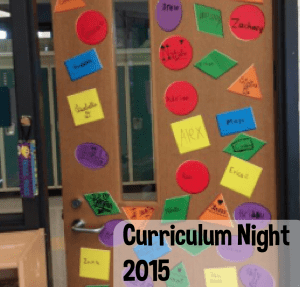
My school’s curriculum night took place last Tuesday. Like past curriculum nights, I had a presentation prepared and intended on having it last around 20 minutes or so. The majority of my class parents visit during this time to discuss class curriculum, policies and happenings for the new school year. The presentation went as planned for the first 15 minutes or so. I fielded a few different questions and landed on my last slide for the night. This slide is actually from a Tweet Fawn sent out.

I left the slide up for a few seconds so the parents could process the information. I did get a few strange looks from parents and knew I had to clarify what the slide meant. After about 10 seconds of silence I went into explaining what each section meant to me.   My paraphrased comments are below each section.

  1. Be less helpful:

I feel like parents and teachers attempt to help whenever the need arises. It’s innate to help when our kids struggle. We’ll even show the student a process or way to complete the problem. Instead of doing this I’d like to suggest that as a team, we help students develop individual perseverance. It’s okay to help, but let’s not complete problems for students. This doesn’t help them long-term in having students develop a conceptual understanding of particular math concepts. Give students opportunities to struggle and develop their own math identity.

  1. Asking them to make estimates often

At a very young age we ask students to estimate. One way in which we practice this skill is through Estimation180. Students are asked for a low, high and just right estimate. Ask your child to create similar estimates at home and in the community. One benefit is that students start to identify when their estimates are reasonable or not. This “reasonableness” plays a role in students’ understanding of the magnitude of estimates. So many opportunities exist to make estimates. Carefully pick situations where your child can make estimates with a variety of units.

  1. Asking them to help you calculate something

Giving your child opportunities to do this can help students practice their computation skills. More so, calculating items mentally can lead students to round or estimate their answer. That mental computation is powerful and reinforces number sense concepts that are being discussed in class. It would be interesting to observe how your child calculates the sales tax in Lake County – 7% compared to Chicago’s Cook County – 10%. Ask your child how they came to the solution.

  1. Asking them what do you notice? What do you think? How do you know?

I believe this goes with the first item of being less helpful. Instead of giving students an answer or specific process, ask them why they’re completing certain procedures. Ask students for input. Look for the reasons why they’re taking certain actions. Ask them to prove why procedural steps are taken and encourage your child to take a “proof” approach when completing problems.

  1. Not saying , “I was never good at math.”

It might seem obvious, but students hold onto comments like this.  I may hear them from time to time in school. Students tend to take sayings like this and use them in response to a negative math experience. Like I said earlier, I’d like students to develop their own math identity and be confident in their own ability. I’ll also mention that sometimes our non-verbal actions also play a role here. Regardless, being aware of these types of statements can help my students and your child create their own perception of math.


I spent the last five minutes of my presentation on the points above. I really felt as though the audience resonated with these statements. It was honest and I felt like parents needed to hear this perspective. During the night, parents were able to walk through the school and see new bulletin boards, shiny technology, new curriculum materials, sign up for parent/teacher conference and meet their teacher. All of those are great, but I thought this last slide made one of the largest impacts of the night.