Low-Risk Formative Assessments – Kahoot

Using Kahoot as a Formative Assessment Tool

Over the past few weeks I’ve focused in on using low-risk formative assessments in the classroom.  I continue to find that these types of assessments bring out the best in students. I want my students to feel comfortable enough in class to take an educated guess without negative judgement.  Moreover, I want my students to be able to use the formative assessment and teacher feedback to improve their mathematical understanding.

In the past I would give my students a paper exit card.  A typical exit card would have a few questions on a half-sheet of paper.  The questions would relate to the concepts covered in class.  I’d gather up the sheets and write feedback on the pieces for students to read during the next class. I also found that some students weren’t willing to take a risk to showcase their skills.  They might leave a question blank or put a question mark in the blank space.  I wanted to find a way to increase the willingness of the students to take a risk.

I came across the website Kahoot.it after following a Tweet by Matt.  I explored it a bit further and found it to be very similar to Socrative.  I enjoyed using Socrative with my classes and thought that Kahoot had some potential to be used for formative assessment purposes.

After creating a teacher account I decided to browse lessons on the site. I was surprised as there were over 160 thousand quizzes in the lesson bank. Many of the lessons were shorter quizzes, but I found some to use with my math classes. The students used the iPads in the class to go to www.kahoot.it and enter the PIN. Many of the students had no problem with this.  As long as their device had an Internet browser, students could use a tablet, computer or phone to access the quiz.  Once the students all joined the quiz I started it from my computer.  The questions popped up on the whiteboard for students to see.  You can add your own pictures to the quiz.  I found this to be helpful as I took pictures of the classroom and imported them into the quiz.

Screen Shot 2014-05-15 at 8.07.26 PM
As seen on the whiteboard

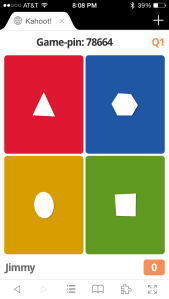
Students are able to see the whiteboard and read the question.  Students answer questions on their device. Their device looks like the image below.

From student device
From student device

Students receive a certain amount of “Kahoots” for answering the questions in a certain time period.  I’m a fan of rewarding quality over speed in math so I give students the maximum time allotted.  This can be changed when creating questions.   Students pick an answer and at the end of the countdown the correct answer is revealed.  During this time I can stop the class to check the answer choices that were made.

Reviewing student choices

This can be a great time to clear up student misconceptions as you can see all the responses without names.  I’ve had lengthy math discussions after completing this activity with students. I felt the conversations were rich and gave insight to student understanding.  When finished I opted to download a report for later perusal.  The report gives all the student response and how long each student took to respond to the answers.  Both of these are valuable to me as I can use the student responses to group students and differentiate instruction going forward.


Note:  I’ll still be using general exit cards in class, but I’m finding a variety of tools useful in collecting data and providing feedback to students. I’m finding that diversifying formative assessment measures has its benefits.  It also gives students a variety of options to showcase mathematical understanding.


Understanding Volume

Constructing Conceptual Understanding

This past week second and third grade students at my school are learning about measurement. The students are making progress. The classes have become more fluent with understanding perimeter and area, and are now starting to explore the concept of volume. Throughout the process students have used various manipulatives, such as prisms and nets to deepen mathematical understanding.   Even with all the activities  some students that are still struggling with the concept of volume. In about three weeks or so students will be assessed on this particular topic. Providing extra sessions for students to develop a conceptual understanding of volume is important. I wanted to find or create a math task that gave students intentional time to review geometry and measurement terms, while at the same time allow opportunities for students to create different products. After reviewing different options I decided on having students use the project detailed below.

Students were given a full sheet of colored centimeter graph paper.  They were then asked to read through the directions.

Directions: Create a net for a rectangular prism using the graph paper provided. The rectangular prism you build should have a volume of 20 cm3. Cut out your net and build a rectangular prism using glue or tape. Write the dimensions of the prism you built in the charts below.

Looking back, it seems like there were more than enough questions about what was expected.   Students always seem to have questions when there are multiple solutions/products.  After I answered their questions I took about 10 minutes to model the activity with the students.  This was important as it cleared up expectations for the activity.  I then passed out the assignment.

Click for sheet
Click for sheet

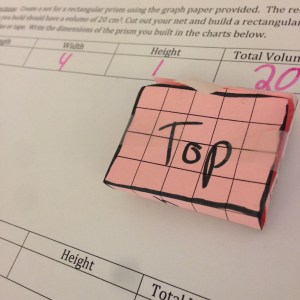
Students then used the centimeter grid paper to create a rectangular prism net.  They then filled out the top portion of the sheet.

Screen Shot 2014-05-08 at 7.09.41 PM


Some students had to use multiple attempts to create a net with a volume of 20 cubic centimeters. This was great opportunity for students to show perseverance and find a solution that worked.  I went around the classroom and asked students questions to help them think of a solution.  The students then cut out the nets and constructed their prisms.  The students then presented their rectangular prisms to the class.


Photo May 08, 12 52 11 PM


How do you construct meaning in geometry?


Math Conversations with Tellagami

Using Tellagami in Math Class


Having intentional math conversations in the classroom can play in important role in the learning process.  These conversations involve students explaining their mathematical thinking while working with others to complete tasks.  It’s been a beneficial activity and helps students develop confidence while communicating their thinking.  In addition, I’m finding that students are becoming better at explaining their math reasoning in written form.

A few weeks ago I was reading a comment by Mary about possibly using Tellagami in the classroom.  I’ve used Tellagami for an AR scavenger hunt but haven’t yet put the app in the students’ hands.  After researching this a bit and reviewing a few Tweets related to the topic, I thought that the app might have potential in having students explain their mathematical thinking. I made an examples and present it the class earlier this week. I thought that with a few tweaks the project could help students practice having math conversations, while at the same time provide opportunities to create digital content.

The focus of this project was on math vocabulary. The students would be emphasizing math vocabulary for the current unit and use it in a practical situation. The students and I created a rubric for the project. The students added that the background should be related to the math vocabulary word and a minimum time limit be established.  The class came to consensus and decided to use this rubric going forward.

Students were then given about 15 – 20 minutes to create a background for their Tellagami project.  Students were given the opportunity to use the classroom resources to create a background.  Depending on the math vocabulary, students used whiteboards, base ten blocks, student reference books, geometric shapes, coordinate grids, and other math manipulatives in the classroom for their background. The next step in the process was to create their Gami. This didn’t take long as limited clothing and accessories options exist.  Students then wrote out a draft of what their Gami would communicate.  During the next math session students used their draft to record their own voice or used one provided on the app .  Once finished, students then reviewed the rubric, saved the project to the camera roll and uploaded the project to Showbie.  The next step is to move the projects to YouTube or Vimeo.  Overall, I feel this was time well spent and next week the class will be presenting their projects.


Open House and Augmented Reality

AugmentedReality
Using Aurasma to Showcase Learning

This past week parents were invited to my school’s annual Open House.  During Open House parents visit classrooms to view student work and to briefly chat with teachers.  Students  often showcase their work and become a tour guide for their parents for that night. The night is designed to strengthen the level of community support and bring awareness to student learning in the classroom.  The parents tend to look forward to this event every year and this year was no different.

Over the past month I’ve been experimenting with using augmented reality (AR) with elementary students.  During the last week or so I was able to share the Aurasma app with different staff members.  The teachers and I started to think of ways students could use AR in the classroom and possibly highlight student work for our Open House night.  The teachers brainstormed and came up with a few different ideas. One of the ideas revolved around incorporating a book recommendation component. After much trial and error we came up with a solution.  See how it was implemented below.

Augmented Reality Book Recommendation:

Students picked one of their favorite books and created a book recommendation video.  Students were asked to indicate the title of the book, author, main characters, short summary, and recommendation.  Students then used an iPad to video record each other recommending the books.  The teacher then uploaded the video and trigger image using the Aurasma app. The trigger image was the cover of the book.  When parents hovered over the book cover their child’s book recommendation video appeared.

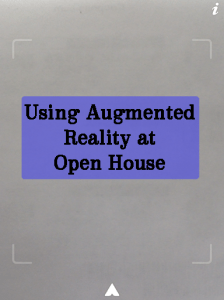
Student videos appear after cover is scanned with Aurasma app
Student videos appears after cover is scanned

Parents were excited to see their child’s work and I believe the students were proud to show it off.   This project was definitely worthwhile and helped the parents of the community become more familiar with some of technology that the classrooms are using.  I saw this event as an #eduwin in my record book.

How do you use augmented reality in the classroom?
Student Content Creation – Flowboard

Using Flowboard in Math Class

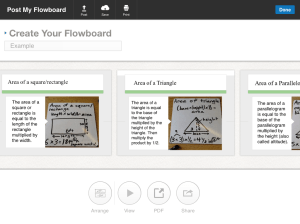
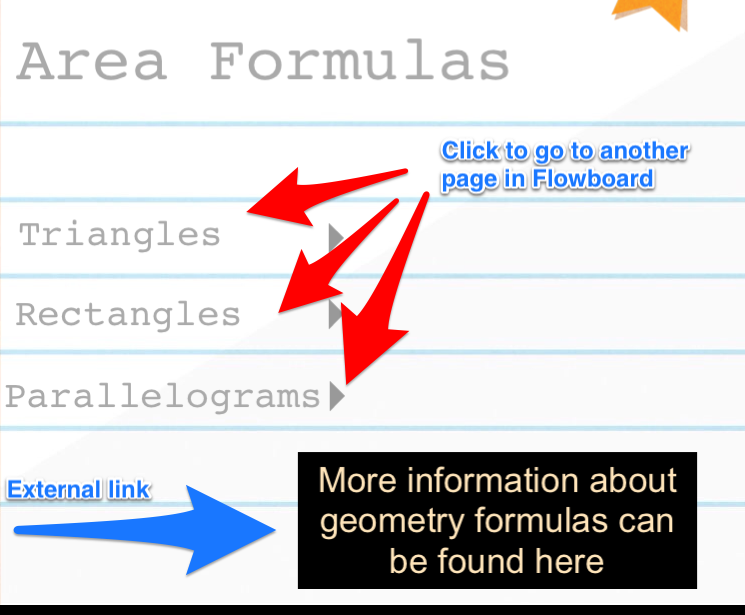
This year my math students have been creating and publishing math content.  Most of the creation has taken place on iPads through different presentation apps.  While finishing up our math comic strips I came across the app Flowboard.  At the time of this writing Flowboard is a free presentation app that gives users 200mb of space. My first thought was that students could potentially create a project and use Flowboard as the medium.  After experimenting a bit with the platform, I concluded that the class could create a presentation that would include different templates, images, text, videos and links.  I found that the links can be part of the presentation or send the viewer to an external site.  This is huge because students could potentially create a table of contents and the viewer could view parts of the site that they prefer. Or possibly, students could add links to a different Flowboard or external site for more information about a particular topic.

Example
Different options

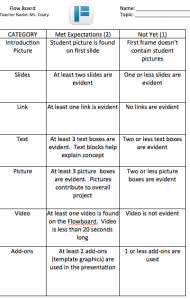
As I introduced the app, students were given time to get accustomed to the features and create a brief sample.  I used one classroom account for this project and students all entered the account at once.  After everyone had a chance to play and create something, the class looked over the mastery objectives for the next unit.  From the list, students were given an opportunity to pick one objective that would eventually tie into their Flowboard presentation. After all the objectives were chosen, students helped create the rubric.  I gave a baseline and then asked students to add to the rubric.  Some of the suggestions were stellar, others not so much.  The class decided to make a minimum requirement for many of the different criteria. The class eventually came to a consensus and the rubric was set and available for students.  The process of picking topics and creating the rubric took about 40 minutes.

Editable Rubric
Click for Rubric

Looking back, this was time well spent as the expectations seemed to be clear from the beginning.  From there, students were given time to research.  Textbooks, iPads, manipulatives, and computers were all used during this research time period.  I felt like my role was to help guide students towards resources that might be helpful.  Throughout this process and other content creation opportunities, I’m finding that students are taking more initiative in seeking out the resources that are needed.  This independent thinking is encouraged in elementary classrooms. For an elementary classroom this is a big #eduwin.  Students filled out a graphic organizer to compile their thoughts on what the presentation would look like. Students were then given three 30 minute sessions over the next few weeks to create and publish their presentation.  During that time I set up check in times to see the progress of the presentations and ask questions.  I soon found out that my students needed more than the 200mb of space to fit all their projects in one account.  I called up the company and was able to get extra space for my classroom.


45 students used this much space
Around 50 students used this much space to complete their project


Students finished the projects and uploaded their link to the app Showbie.  From Showbie I’m able to add the links directly to the student eportfolio sites. After students finish they are scheduled to present their presentation to the class.  I also embed the presentation online for parents of the community to see.  This is a brief sample that I created to show students.  The student projects are MUCH better since they all picked different templates, added their own pictures/videos, and added links to complete their presentations.


Twitter in the Elementary Classroom


Using Twitter in the Clasroom
Using Twitter in the Classroom

A few years ago I was encouraged to set up my classroom Twitter account.  Shortly after looking at a few different examples and researching possibilities, I decided to create a class account.  During my school’s back to school night I mentioned to the community that they could follow the class on Twitter.  I was excited as a few parents followed the class account that evening.  Throughout the rest of that year I Tweeted out different happenings of the class.  More community members, including those with students not in my class started following our classroom account.  The feedback that I was receiving seemed positive so I decided to continue to use the class account for another year.

This year I had a conversation with parents about our classroom Twitter account during back to school night.  I also increased the visibility of the school account with specific hashtags and added video components.  So, now that there’s only about two months of school left I’m reflecting on what to keep for next year.  Here’s my review:

Students are now writing down their tweets and I’m sending them out

I started this activity back in November.  Every week I ask assigned students to create a Tweet that explains what we’ve learned.  Students can also mention activities or events that occur.  Students write out their Tweet on a separate sheet of paper and I send it out.  I find some students find it challenging to write down their thoughts in limited characters. This is a classroom job that students look forward to and I feel like it’s also empowering.

We are using a specific hashtag to track our Tweets

In order to better track our classroom happenings, I decided to create a tag for just our particular class.  My school doesn’t have a Twitter tag so the class decided to use #sllearns. For the past few months the class has used that tag to document our learning and activities. The tag also comes in handy to compile Tweets and pictures before school events.

Students now video record themselves and others using the Vine app.  

Using the Vine app, students record themselves in different activities in the classroom.  This is another assigned job that the students perform.  I find video to be a powerful tool in communicating different activities in the class.  This has been especially helpful when showing math manipulatives and student presentations.  You could also use Instagram for this job.

Post newsletters or calendar events

This was how I originally started using my classroom Twitter account.  I Tweeted out school calendar events and classroom links.  My school account still does this, just not as often as last year.

Connect to and follow other elementary classrooms

It’s been great to be able to connect with other classrooms through Twitter.  Our class has connected with other elementary and middle school classes this year.  Mystery and Number Skypes have been possible by connecting with other classes through Twitter.  Periodically, my class will review happenings of other classroom accounts.  I’m hoping to expand this and somehow collaborate with other classrooms on some type of project in the future.

Answer questions or redirect

Eventually I’d like to be able to use my classroom Twitter account to answer questions from members of the community.  I don’t necessarily think that Twitter should be a one way communication method.  This is a work in progress, but I’m hoping to use this more next year.

Embed the Twitter stream on the class website

In an effort to increase the visibility of our class Twitter account and to show the value I decided to embed the Twitter stream into my class webpage.  This has been beneficial as photos, videos and Tweets can all be viewed directly on the website.  The community visits my website so this is an easier way to reach the class Twitter stream.  Also, when students write up a Tweet or record a video for the class, they can easily access their production on my class website.

Twitter Thread


photo credit: ~Ilse via photopin cc

How do you use Twitter in your classroom?

Math and Augmented Reality

Photo Apr 04, 9 10 38 AM

Many second grade classrooms at my school are finishing up their unit on geometry.  The classrooms have been reviewing math vocabulary in preparation for an upcoming math task activity.   While looking for ways to review math terms I came across the word augmented reality (AR).  For a few months I’ve heard the term AR being used sparingly at Edcamps and through different Twitter chats.  I decided to do a bit of research and thought it might be useful to use in the classroom.  I’m finding that students are becoming more familiar with using QR codes, so I thought this might be an extension to that concept.  While taking a look at my Tweetdeck columns I came across a few different Tweets by Erin and Todd.  Erin and Todd’s Tweets about AR peaked my interest. It seems that both were using AR in their own elementary classrooms and having success. Erin used the app Aurasma in her own classroom and has some great resources (1)(2) for AR beginners.

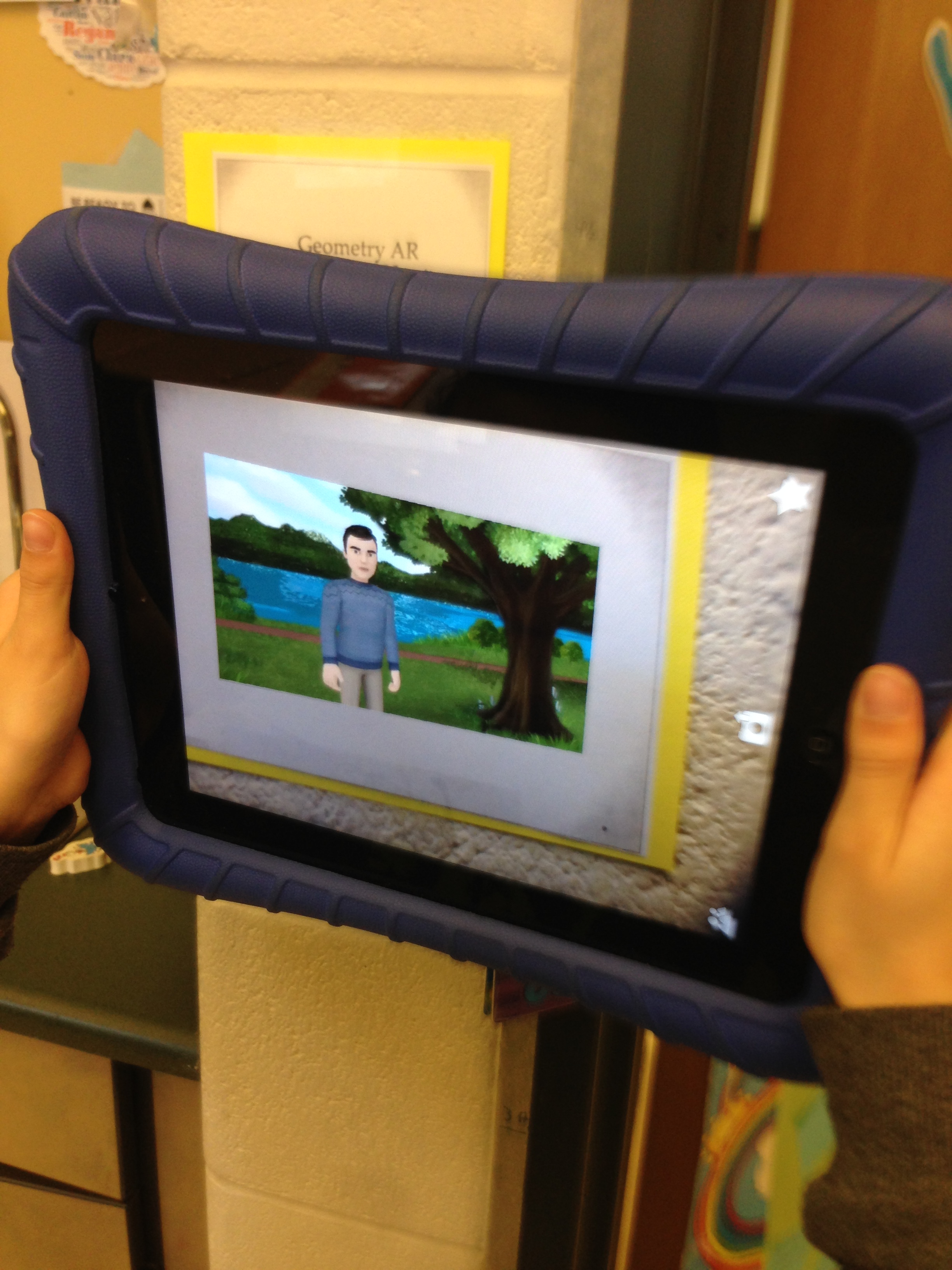
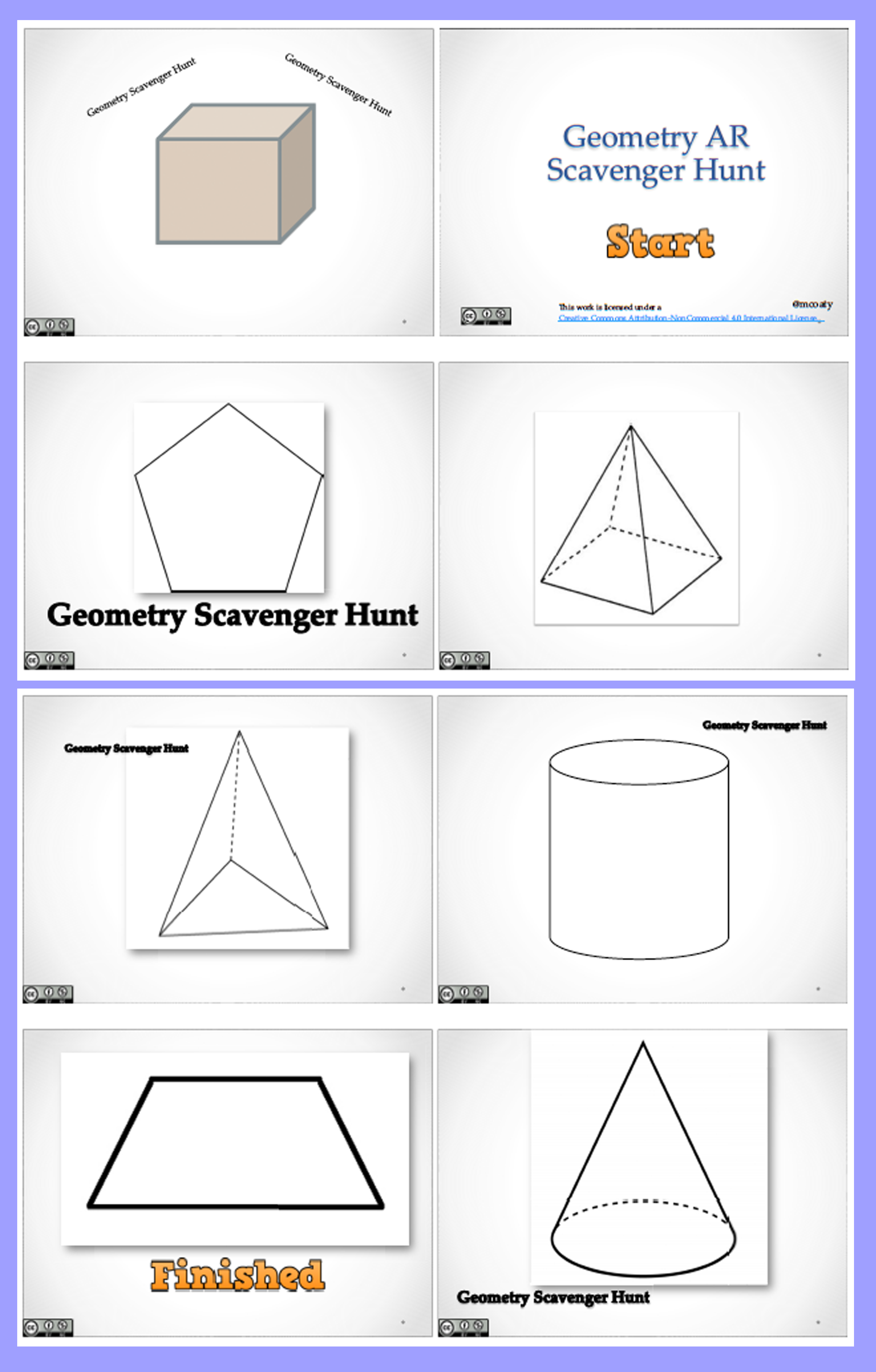
After reviewing a few of of Erin’s resources I decided to create an Aurasma account.  It took a bit of practice, but I ended up creating a few different Auras.  A colleague and I started to think of different methods to combine the geometry unit and AR.  I ended up using the app Tellagami to record videos with different characters.  Each character represented a specific geometric shape and guided students to the next shape.  The shape cards were placed all over the classroom.

Augmented Math

Students scanned the shape cards and worked in groups to find the next shape.  All the auras are public so feel free to use them for your own classroom by clicking here. You will need to register and follow sl math replacement (the icon is a cube) to access the auras. You can follow my channel by scanning the QR code below.

Scan to follow classroom account

You can preview the auras by just scanning the image right from your computer screen.  If it works for you, print out each card and then place them around your classroom.  The entire activity took about 40 minutes and it seemed to be a worthwhile learning activity.  It was great to see students describing the next shape by using the words sides, faces, edges, closed figure, vertices and polygon.

Click to enlarge
Click to enlarge

Afterwards, students started asking questions about how they could use AR in other content areas.  I’m thinking of even having the students create their own for a school open house occasion.

How do you use AR in the classroom?
Planning Better Learning Experiences

Photo Mar 25, 9 36 35 AM


Spring break is now here and many schools are still bustling.  There’s not as much student laughter inside the school, but the parking lot is still busy.  A fresh batch of snow has covered the local area and vehicle tire tracks have carved their way into the teacher section of the school parking lot.  Many of the teachers inside and those at home are planning for the last few remaining months of the school year.  My plan book for each class is now starting to fill up.  Regardless of how I plan, student understanding of a particular concept doesn’t always align with my 3-inch plan book squares.  Specific curriculum and lessons can be planned to a tee, but it doesn’t guarantee an ideal learning experience for the students. This break has given me time to think of how educators plan their instruction.

Before break I was able to have a conversation with my classes about learning.  We discussed metacognition and analyzed how we learn best.  The class had a conversation about what math concepts will be introduced in April.  The conversation transitioned to what math activities are on the schedule for the months of April and May.

While discussing this I emphasized the words learning experiences instead of referring to the objectives that were posted to the board.  I find that students can easily see written objectives on the board.  Writing the objectives on the board is required, but I don’t believe many students actually internalize the meaning or they need more information to do so.  The objectives may say something specific and some benefit from reviewing them, but I want students to be able to understand that they are participating in intentional learning experiences that will give them opportunities to question, make connections, and become better math communicators.

Many of my students and parents are aware of the implications of the PARCC assessments and CCSS.  Common Core aligned material is everywhere.  Marketing and advertisers are consistently promoting the newest aligned Common Core material.  Many districts are in the process or have already purchased content that matches the CCSS and PARCC.  Regardless of what district adopted curriculum is purchased, learning experiences that meet students’ needs should be high on the priority list.  My colleagues and I are finding that there are many ways to follow the CCSS and still create engaging student learning experiences and activities.  This year I’ve modified and used different learning tasks that were created by members of my PLN.  Fawn, Dan, Julie and the MTBOS community have been generous in sharing their thoughts and resources.  These experiences don’t have to be scripted word-for-word (like the first curriculum that I was given) and many supplement the curriculum that the district provides. These student learning experiences are what will create beneficial memories that students can use going forward.  In addition, they will drive students to ask questions, make connections and develop math reasoning skills that will help them in the future.

Student Content Creators: Math Comics

Math and Comics


One of my classroom themes this year involves having students create digital content.  Sticking with that theme, I’ve been exploring different avenues in which students can create digital content that can be shared with authentic audiences.  Throughout the year my students have created different presentations with a variety of apps and have shared them with their parents and the world.  I find that students become much more engaged and empowered when given a chance to create.

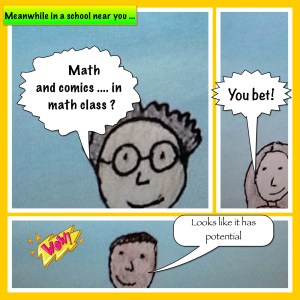
Our latest project involves math comics.  I continue to find benefits of using comics in the math classroom.  After using them to introduce a variety of concepts this year, I came across the Strip Design app.  I thought that this app might be helpful to introduce and expand student understanding of content area specific vocabulary.  Students would also have an opportunity to create digital content by completing this project.  Specifically, I thought that students could create a math comic strip starring themselves.  At the beginning of the math unit in late February, students were given a list of key math vocabulary words.  Students  were given an opportunity to choose a specific vocabulary word from the unit.  Students were asked to create a comic strip starring themselves and a classmate showcasing an understanding of the vocabulary word.  As a class, we created a rubric which allowed students opportunities to showcase their understanding and share it with others.

Click for Excel Template
Click for rubric template

Students took pictures of themselves and created a script and scenario.  Students checked in on their progress after each session.  I had a brief conference with each student during the project and they filled out the rubric above to make sure that they met the guidelines. After completion, the student comic strips were uploaded to Showbie and eventually placed in their portfolio pages.  Next week the class will be sharing our math comics with other grade levels in the school.

Standards-based Grading Strategies in Second Grade

Second Grade


Yesterday, students in my second grade class took a unit assessment on fractions.  Generally after the assessment students review their results and reflect on progress made.  I graded the tests last night and the scores were across the board, as some did extremely well while others floundered.  The point values were placed on the top of each test to be reviewed by the students and parents.  I don’t put a grade on the test, but instead add bits of feedback for questions missed.  I’ve used similar strategies with homework for the past few years.  No one had a perfect score, but I definitely wanted the students to check their results before we move on to the geometry unit.  I think reflecting on achievement can lead to personal goal setting.  

There are many ways in which I could facilitate the reflection process.  The class could review the test together, question by question.  Students could ask questions to determine misunderstandings. Or I could have the students work in partners to review questions missed.  Or possibly even have the students fill out a reflection sheet.  I feel like these strategies provide value, but the results vary and aren’t individualized, except for the reflection sheet.  All of the strategies tend to be missing a student ownership/accountability piece.

Regardless of the grade/score I want students to be able to focus on the learning, not necessarily the grade. This is a focus in all my classes.  This emphasis as well as participating in #sblchat has led me to embrace more standards-based grading strategies.  Even at the second grade level I feel that it’s valuable to set a growth-mindset tone.  I’m becoming more comfortable in using standards-based strategies in the classroom and am starting to see the benefits as the school year continues.   

Instead of using a strategy that I’ve used before, I decided to try something different.  I spent about 10 minutes reteaching misconceptions that I found while grading.  Some of the major themes were retaught in this mini lesson.  I then gave all the students an opportunity to retake the test questions that were missed.  I gave students a blank test and highlighted specific questions that were missed.  I met with students as they finished their retake. The student and I reviewed the assessment results and the retake opportunity. Students were given  about 3-5 minutes to meet with me to review the retake.  I’d like to spend more time with each student but time was definitely a constraint. I feel like the conferences were helpful as I was able to confer with students about their thinking, retake and test. I added any second attempt points to the original total.

Even though this was a time-consuming activity I feel like it was time well spent.  I even had a few students ask if we we’re going to do this after every assessment.  I’m not sure about that, but I may use this strategy again in the future.