Math and Mystery Number Skypes

Mystery Number Skype

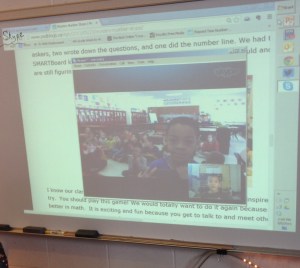
During the month of March many primary classes in my school are emphasizing whole number characteristics. Second grade was and continues to focus on place value, even/odd numbers and patterns.  Students used base ten blocks last Monday and played Name that Number with their peers. Teachers in the upper grades in my district have experimented with Mystery Skypes over the past few years, so I thought there might be value in using them in math class.  Last year my class had a Skype session with a school in New York.  Remembering the experience, I thought it might be a good idea to research this further.  While looking through my Twitter feed I was able to connect with @vjohnsonsdb, a second grade teacher.  Val was looking for another class to have a Mystery Number Skype with.  We agreed to have a session last Thursday.

Before the class began I reviewed a few different sites (1, 2, 3) related to the nature of number Skypes.  The students came up with a few questions before the Skype and roles were assigned.  Here are a few questions that were part of our brainstorming session:

  • Is the number even or odd?
  • Is the number between 1 – 25?
  • Is there a 5 or more in the tens place?
  • Is there a thousands place?
  • Do all the digits added together equal 10 or more?

Students were assigned roles as a questioner, ambassadors and researchers.  After we found each class’ mystery number, students were given an opportunity to ask questions about the other class. Afterwards, we researched the other class’ location.  We reflected on the experience and are looking forward to our next Mystery Skype.

Representing Fractions with Thinking Blocks

Many classrooms in my school are in the midst of reviewing fraction concepts. Throughout the school students are finding fractional pieces, converting fractions to decimals, and identifying fractions on number lines.  For the past week students in second grade have been identifying fractional parts.  Earlier in the week students completed the page below during a math station.  Students did well on the first two pages, but struggled a bit when identifying fractions on a number line.

Representing 3/4 in many different ways
Representing 3/4 in different ways

This was a challenge for some students as many are more familiar with identifying fractions within objects (in a circle/rectangle).  Moving from identifying fraction to placing them on a number line can be a stretch.  Many students have already started to decompose numbers and have completed “fraction-of” problems.  These types of activities have helped reinforce the number line and fraction connection.  Next week students will be assessed on the fraction unit and many classrooms move into geometry concepts.  Before focusing in on geometry, I wanted to give student an opportunity to visualize fractions and use them with more complex word problems.

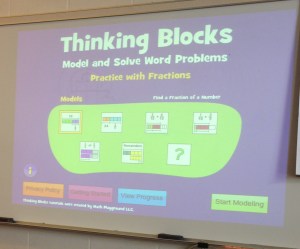
As I was looking for supplemental material I came across a Tweet by Paula (@plnaugle). She referenced Thinking Blocks  as a resource that she uses with an interactive whiteboard. I looked into the site and thought that it might be useful for my grades 2-3 classes since the app allows students the opportunity to solve fraction problems visually.  Specifically, I downloaded the fraction app on the school iPads.   Yesterday a second and third grade class used this app in their classroom as a guided activity.  The app was introduced to the class and I modeled the different steps involved in solving the problems.

Modeling
Modeling

The students were then asked to find a comfy place in the room and complete a minimum of three exercises.  What’s nice is that the problems are picked at random, so students aren’t on the same problem at the same time.  There’s also a feedback box that assists in guiding students towards labeling the correct parts of the fractions.

Click to enlarge
Click to enlarge

I helped the students as needed, but many were able to use the virtual manipulatives and generated feedback to stay on track.  Some students completed three problems, while some went beyond and tried out five.  After about 12 minutes the class gathered and we reflected on the perseverance that was needed and celebrated successes. This activity gave students an opportunity to make mistakes and persevere.  I’ll be keeping this app in my repertoire for the future.

Math Mini-Lessons with Educanon

Using Educanon in Math Class

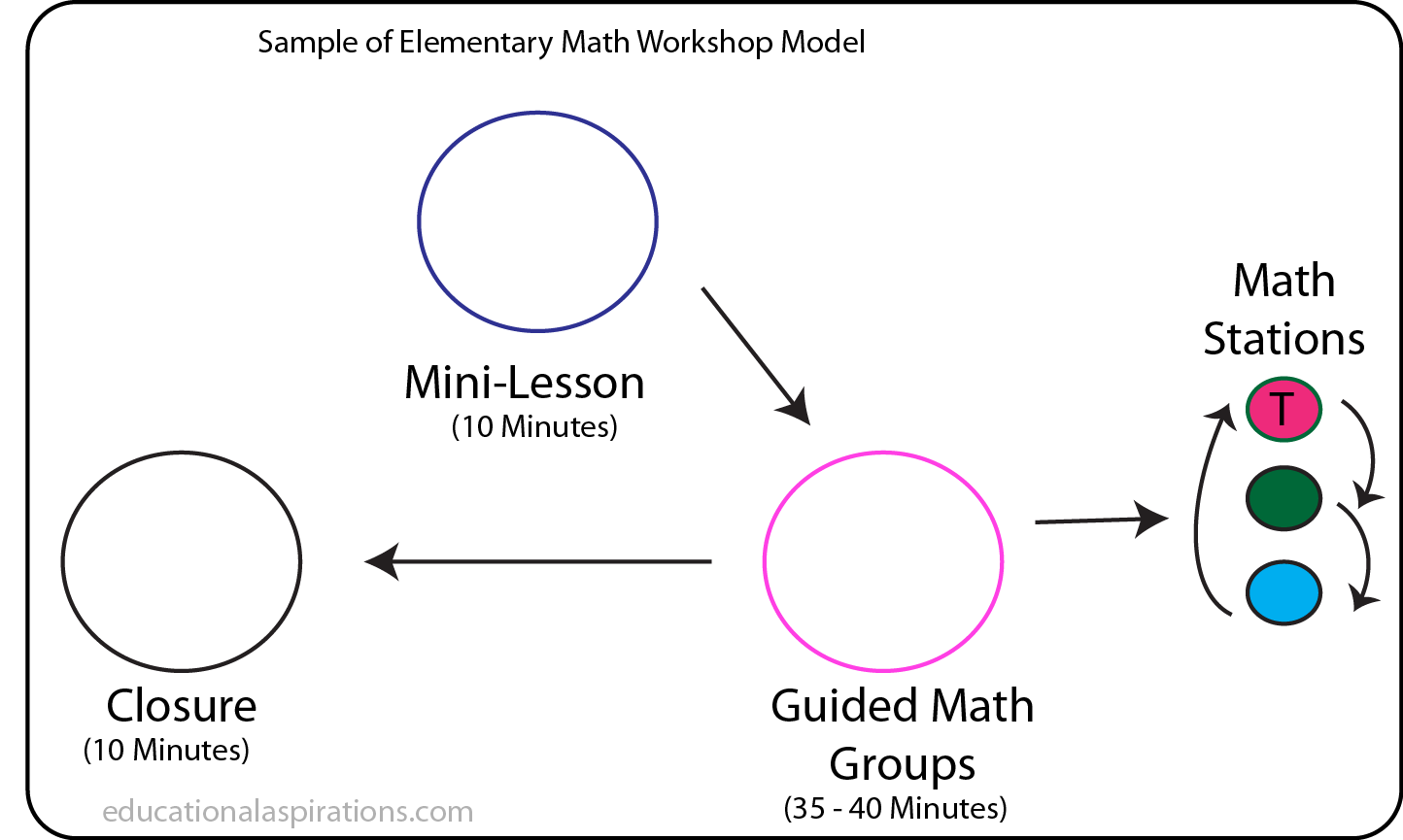
One larger focus this year is to have math mini-lessons before students move into guided math groups. The min-lessons often take place at the beginning of the class.

mathformat

Many teachers tend to use some type of formative assessment from last class to dictate how in-depth the mini-lesson will go.  Over the past few weeks I’ve modified my mini-lesson time. As with any class, students with a variety of skills and mathematical backgrounds are part of the class community.  I was finding that my math mini-lessons were benefiting some students more than others.  I was also finding that how I began those mini-lessons often set the tone for the rest of the class.

Last week I tried something different and decided to use Educanon for part of my mini-lesson.  Educanon allows a teacher to use any Youtube or Vimeo video and insert questions/explanations at set points in the video.  I’m using the free version of the Educanon, but there’s a paid version that gives more of a detailed report and records students’ answers. 

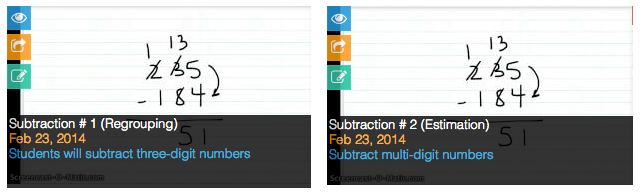
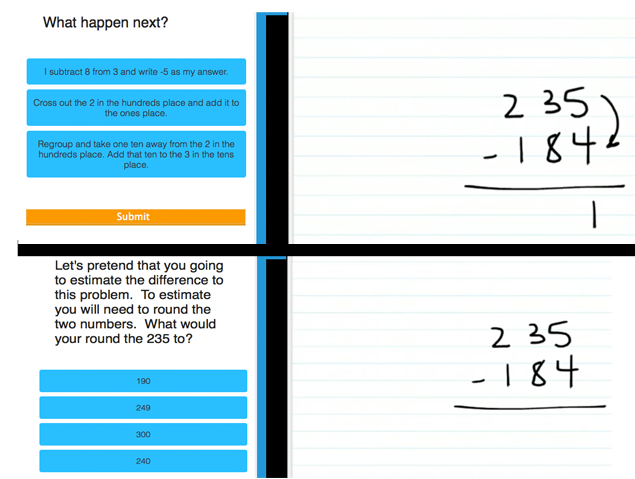
I’m not a huge fan of math videos, but I do think they have value when used appropriately. Videos, similar to the homework debate, have huge fans and critics.  It’s a bit of a gray area and truly depends on how they’re used.  Regardless, after having a discussion with a colleague, I decided to create a 1:30 Educreation video on three-digit subtraction for my second grade classes. After creating the video I uploaded it to Youtube.  I uploaded two of the same videos to Educanon and renamed them.  Each video 1 and 2 (still a work in progress) has questions geared towards a specific math skill.  One group was working on subtraction estimation, while the other was working on regrouping strategies.

Different min-lesson opportunities for students
Different questions, same video

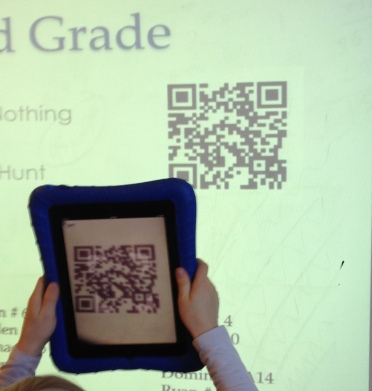
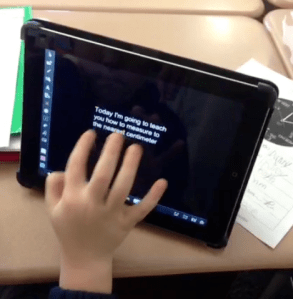
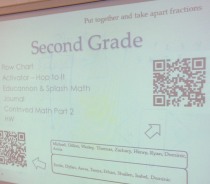
The videos are meant to be short and recorded without sound.  I find the sound to be a bit of a hassle and the videos are less than two minutes in duration and I don’t want students wasting their time with headphones.  When the time comes, students scan their respective QR code to automatically visit their Educanon video.  The video requires students to use a separate sheet of paper to dictate their answer.

Scanning the code

Students then play the video and are asked questions related to the current topic.  Some of the questions are similar, but most are geared towards estimation or regrouping.

Two Videos

Once students finish their brief video the class comes back together to discuss a few different examples of three-digit subtraction.  I tend to reference the videos throughout the class and even in the small guided math groups.

It takes a bit of time to create the videos, but sharing that responsibility with other teachers can definitely help with the work. I’m looking forward to possibly using more of these brief activities in the future. Currently, I only use one video every couple weeks, so this isn’t a daily activity, but one that seems to be helping my students better understand mathematics. Maybe at some point the students will create their own Educanon presentation.


Guided Math – Math Literature Stations

Math Literature
Integrating Math and Literature

About a month ago I attended an educational event hosted by a district in Downer’s Grove, IL.  The event, Playdatedg58, encouraged attendees to learn, create, and collaborate with other teachers in the area.  I was able to attend many sessions, but missed one of the sessions called Math Literacy.  Fortunately, I was able to find a Prezi that was created for the presentation after I returned from the trip.  After reviewing the presentation I started to think of how I could incorporate more math dialogue in my classroom. I believe that students need to be able to talk through their mathematical thinking and be able to communicate this with others.

There’s no doubt that language arts/reading plays a significant role in just about every subject area.  For math, students need to be able to read directions carefully, understand context, understand if an answer is reasonable, and use vocabulary appropriately.  These are all important skills to have and can be reinforced through math literature. Most of these tasks generally fall in the realm of language arts/reading. Moreover, these skills will help students develop skills that will benefit them long-term.

So I’ve decided to incorporate more literature in my math classrooms this year.  Specifically, I’m using more literature during my guided math group stations.  Generally, students end up spending about 10 – 12 minutes per station, so you can infer that the reading is fairly short. There are about 4-5 students at each station so the comfy math literature station isn’t busy with shuffling papers. The small group also gives students opportunities to choose a book on their own without too much interference.  The books that I’m using are primarily for elementary students and emphasize the number sense math strand.  Number sense seems to be the strand of mathematics that needs an enormous amount of support, especially at the younger elementary level.  The books generally emphasize taking apart and putting numbers back together.  Place value and computation are two consistent areas of focus for younger elementary students. Below you will find a picture of the math books that I’m using during math stations.  Click the picture to enlarge and see titles/authors.

Math Literature Station
Math Literature Station for Elementary Students

While in the groups, students answer questions related to the book that they’re reading. Some of the questions are generic while others are more book specific.  Depending on my inventory, (which I hope to increase substantially) most of the books that I use are vocabulary rich and provide critical thinking opportunities. Some of the books offer number puzzles where students can check their answers in the back of the book.  Each student completes a “math think sheet” which records what book was read, the pages read, math vocabulary, and concepts covered.  Students keep track of their time in the station and write as they read.  In the future I may have the students work in partners and read the books together.  The class could then have a math book chat and record all the books that we’ve read throughout the year.  These are starter ideas, but I’m definitely encouraged when I see disciplinary lines blend as students observe that math and literature are connected.


photo credit: Eric Fischer via photopin cc

Guided Math: What About the Other Groups?

Guided Math

I’m using a guided math model more often this year.  To be honest, I’d say that I’m using more of an adapted guided math model because it’s still and will always be a work in progress. Similar to guided reading, an emphasis has been placed on meeting with smaller student math groups. After attending a few different math sessions with Laney Sammons last year, I continue to refine the model within my own classrooms.  I’m currently utilizing the model approximately 2-3 times per week.  Students are meeting in three different groups throughout the 60 minute math block. Generally, one of the student groups is with the teacher, while the other groups are working on various activities throughout the room.

I understand and see the benefits of having a guided math model, although I’m a bit unsure of the effectiveness of the other groups that aren’t directly with the teacher.  That uncertainty led me to research few options for the other math groups.  I don’t want their time to seem wasted and I believe there needs to be some type of documentation embedded.  What could, or what should the other groups be doing?  This year I’ve experimented with a few different options and have found the options below to work with my group of students.


Adaptive apps – Programs like MobyMax, IXL, and Scootpad can be used to bolster skills that need strengthening.  This station is usually fully supplied with whiteboards for students to show their work.  Many of these apps are free and can also be used at home for more practice/extension.  An 8 – 12 minute station can be a perfect amount of time for theses types of apps.  The apps also provide documentation that indicates questions correct/incorrect and progress made. I’ve compiled an Edshelf this year to showcase some of the apps that my students use during guided math.

Journal Activity – Students follow a specific journal prompt given by the teacher.  The journal entry is most likely related to the standard that’s being explored.  Students paste certain artifacts in their journal, such as work, explanations, and sheet-based manipulatives to show their mathematical thinking. The math journal could also be used as a reflection piece.  For a large list of possible journal prompts click here.

Games Games can be a great way to practice math skills and encourage collaboration with peers.  Dice and playing cards can play a role here as many elementary games use these and multiple outcomes exist.

Puzzles –   I generally have students work in pairs or groups to complete these types of math puzzles.  I tend to use an envelope system. Students complete the puzzle, take a picture of it using the iPad and then put the puzzle back in the envelope.  Using Tarsia has opened up many different possibilities for using puzzles during math groups.  This has been a staple station during an algebra unit as students match the equation with variable solutions.

Educannon – At first glance this looks like a flip classroom program. I actually heard about this from Mary and I’m using it this year to reinforce math skills at home or in stations.  Here’s a quick subtraction Educannon that I made for a second grade classroom.

Content Creation – Students use the apps Educreations, Haiku Deck, Explain Everything, and others to create digital content that can be uploaded to the web later.  Moreover, these types of activities can be included in a student portfolio system for later use.  Students follow a rubric to create a presentation that explains (example) a particular math concept. This station is sometimes used during consecutive days because of the time commitment needed to produce a quality product.  This is by far the most requested math station that I use.  The class has informally dubbed this the Explanation Station.

QR Code /Augmented Reality – Students complete activities related to the concept being taught and check their answer by scanning the QR code.  I’m experimenting more with augmented reality this year and am looking for ways that students can be part of the creation process.

Math Manipulatives – Manipulatives can be powerful in the learning process.  Specifically, I’m thinking of pattern blocks, fraction tiles, base-ten blocks, etc.  Many of these items can be accompanied with a sheet asking students to show what they created/explored.  Giving time to explore and come to constructive conclusions can also aid in foundational understanding.  The Virtual Manipulatives app can be helpful for this station.

Math Literacy – Yes, reading and math can be combined! I’m currently compiling books in one of my stations that are dedicated to the current math strand that we’re emphasizing.  The Sir Cumference series currently resides in this math station as well as many Greg Tang books. Many of the books come with questions that students could answer. I think this station has a lot of potential I just need to expand my inventory and find some type of Scholastic discount.

* Photo credit: Adapted from Rojessa Tiamson-Saceda (EQuALLS2 Project)


How do you use guided math stations?

Student Content Creators – Explain Everything

Student Content Creators

Student content creation is an emphasis this school year.  In an effort to make this happen, I’m purposefully incorporating digital student content creation opportunities in my classes.  Specifically, students are given a choice in being able to show mastery of a particular math concept through a presentation.  These projects are student created with different types of presentation apps.

For example … to begin our latest math unit on pre-algebra, students were gathered together and I previewed the different math concepts that were going to be part of the unit.  I used the mastery objectives for this.  Students chose to be an “expert” for a particular concept within the unit.  The concept that the student chose will be presented to the class in the future.  The term “expert” was something I didn’t consider while preparing the project.  It’s interesting because I’m finding that students often speak up when we arrive at a particular lesson that they’re “experts” in.

The class and I then developed a rubric for the project.  

Rubric

You can find an editable sample rubric here.  Students then started to research their particular concept and began compiling resources.  Students used their journal, different online sites, manipulatives, whiteboards, and other resources to research information about their topic. Students were then given time to explore the app and become more familiar with some of the features.  Since they were already familiar with Educreations, students were able to adjust to the learning curve of using Explain Everything.  There are many of features in Explain Everything and it took a good amount of time to explore them all.  Students worked on their presentations about twice per week for about three weeks.  Students then presented their projects to the class near the end of the unit.  

Fractions

Steps

Right now the class is building a repertoire of technology tools that have the potential to be used later in the school year.  At some point I’m going to ask the students to pick their own tool to show mastery.  I continue to find that student content creation brings out a student ownership piece.  That ownership piece can be powerful.


Representing Fractions

Introducing Fractions

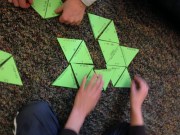
Second grade teachers in my school are starting their introductory unit on fractions next week. Generally students are introduced to fractions through manipulatives.  Manipulatives, specifically pattern blocks, offer opportunities for students to play, explore and develop a deeper understanding of fractions.  By second grade students have become accustomed to solving problems related to sharing.  Splitting up a whole into unit pieces is part of the first grade curriculum. From there students are asked to adjust their partitioning into equal sized parts.

The triangle is what fraction of the entire hexagon?

Pattern blocks can be useful for introducing fractions although it shouldn’t be the only representation.  One of the challenges I see during fraction instruction occurs when students are given a different representation (word form, number line, mixed numbers, etc.) of a fraction and asked to find or create fractional parts.  Students often ask, where’s the picture of the shape that I’m used to?  Fractions can be represented in many ways, such as through number lines, objects, shapes, and a variety of linear representations.  I find that students tend to benefit from being able to see a variety of representations of a mathematical concept. A number line can be especially helpful in introducing fractional parts.  Keeping that in mind, I’m encouraging our teachers to use a variety of forms to showcase fraction representation.  Possible student questions related to this can be found in the slide show below and in this shared sheet.  

This slideshow requires JavaScript.

How do you introduce fractions?

Math and Puzzles

Math Puzzles

I’ve experimented with using more math puzzles in the classroom this school year.  I continue to find that games and puzzles have the potential to engage students in meaningful ways. Similar to games, puzzles can encourage collaboration and perseverance skills that will help students long-term.

About a month ago I came across a free puzzle maker called Tarsia.  Tarsia is a program for PC users that allows the creation of different types of digital puzzles that you can print out. There’s a large database of math puzzles that are compatible with Tarsia here. A colleague and I have used them during our math station activities.  Students work in collaborative groups of 2-3 to complete the puzzles.  Last week I heard students having math conversations about whether a specific piece fits or not.  Hearing students confirm their reasoning for putting a piece in a particular place can be useful in seeing if a student is understanding a particular concept.  I feel like the puzzles have been especially beneficial in reinforcing many math concepts.  They are reusable for station work and could be used in conjunction with a student math journal piece.

Station Work

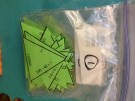
Keep in mind that I only use these types of puzzles for stations about once per week. Moderation is key with these types of puzzles.  I also found that cutting and bagging the puzzles in advance saves time.   In addition to the puzzles, I’m using math card games, technology tools, and self-directed learning activities for math groups that don’t directly meet with the teacher during guided math.  I’m looking forward to seeing how the puzzles continue to impact student engagement and learning in the classroom.

QR Codes and Math Stations

Providing feedback to students is important.   I find that the more specific the feedback is, the better.  Teachers use many ways to give feedback, whether that’s verbally or through written form.  Ideally, I’d like to be able to meet with every student in my class and offer them undivided individual feedback to improve understanding and enrich.  That’s not always possible so stations or workshop models become part of the classroom norm.  Math workshop models can improve opportunities to give 1:1 feedback.

During the past two weeks I’ve been using QR code activities (1) (2) for one of my math stations.  One of these activities can last 3-4 math sessions depending on the math concept being covered.  These types of stations involve questions that I’ve found through my PLN.  Some of the QR activities that are used involve scavenger hunts.  Students answer questions in groups or individually and check their answers by scanning the QR Code.  The QR code is unlike the actual teacher’s manual as student’s can’t immediately peek over to see what the answer is.

QRcode

Instead, students have to scan the code to check their answer.  Students then document and turn in a sheet that indicates whether the students answer was correct or what mistake happened.  I’m looking into creating feedback codes that help students with common errors  with particular problems.  Students are also asked to write in their math journals about problems that were incorrect.  I’m using  this site to create the codes as SMS messages.  If used correctly, QR code activities can increase student reflection opportunities and engagement.  For more information or practical ideas on how to use QR codes in the classroom check out Denise and Edutopia‘s resources.

On a side note, I’m looking forward to using the idea of clickable paper in the classroom at some point.


How do you use QR codes in the classroom?

Using Comics in Math Class

Comics

Comics/cartoons have been used to communicate important issues for many years.  Education has even been part of the comic movement.  Susan O’hanian has demonstrated with her website how cartoons can communicate and start important conversations.  I’ve tinkered with comics in my math classroom this year.

I believe that humor has a place in the classroom.   Comics can bring in a humor aspect, as well as practicality and motivation that can engage students.  My students are starting their algebra unit this week and I’ve been looking for new ways to introduce combining like terms and solving for unknown variables.  In the past I’ve used Hands-on-Equations and different types of narratives that explain how like terms can be combined.  After a lot of searching,  I ended up using pages 5 – 8 in this pdf to help introduce the concept this year.  Students responded well to the comic and I believe it helped them complete the activity in the document below.  I used one of the practice sheets as a model and the second sheet was completed and shared in student groups.

Combining Like Terms Activity

When I look back at some of my favorite K-12 teachers, many of them were able to connect and build rapport with students quickly and use humor appropriately.  I’m going to explore how to use  comics a bit more in my classroom over the next few weeks.  I may even have students create their own through comic creator apps on the iPad.

How do you use comics in the classroom?