Student Content Creators – Explain Everything

Student Content Creators

Student content creation is an emphasis this school year.  In an effort to make this happen, I’m purposefully incorporating digital student content creation opportunities in my classes.  Specifically, students are given a choice in being able to show mastery of a particular math concept through a presentation.  These projects are student created with different types of presentation apps.

For example … to begin our latest math unit on pre-algebra, students were gathered together and I previewed the different math concepts that were going to be part of the unit.  I used the mastery objectives for this.  Students chose to be an “expert” for a particular concept within the unit.  The concept that the student chose will be presented to the class in the future.  The term “expert” was something I didn’t consider while preparing the project.  It’s interesting because I’m finding that students often speak up when we arrive at a particular lesson that they’re “experts” in.

The class and I then developed a rubric for the project.  

Rubric

You can find an editable sample rubric here.  Students then started to research their particular concept and began compiling resources.  Students used their journal, different online sites, manipulatives, whiteboards, and other resources to research information about their topic. Students were then given time to explore the app and become more familiar with some of the features.  Since they were already familiar with Educreations, students were able to adjust to the learning curve of using Explain Everything.  There are many of features in Explain Everything and it took a good amount of time to explore them all.  Students worked on their presentations about twice per week for about three weeks.  Students then presented their projects to the class near the end of the unit.  
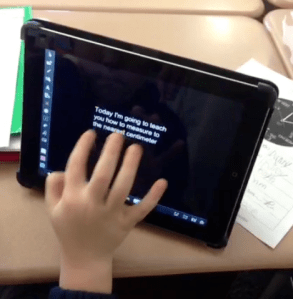
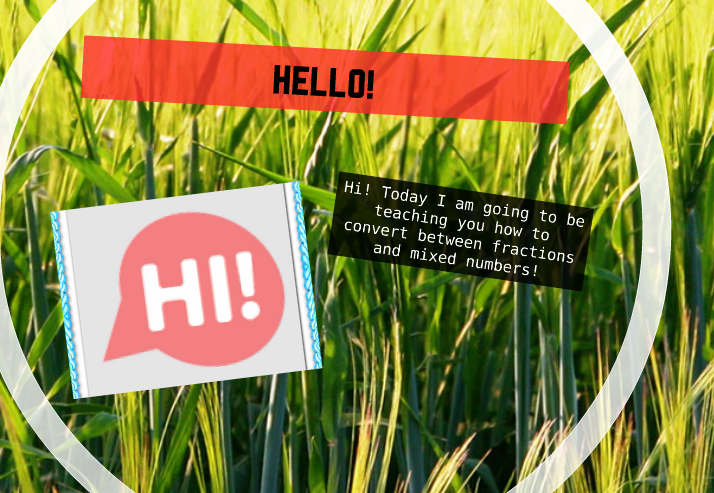
Fractions

Steps

Right now the class is building a repertoire of technology tools that have the potential to be used later in the school year.  At some point I’m going to ask the students to pick their own tool to show mastery.  I continue to find that student content creation brings out a student ownership piece.  That ownership piece can be powerful.
 

Coding in Elementary School

Hour of Code
Hour of Code

My class decided to take part in the Hour of Code Challenge today.  Yesterday I began following the #hourofcode hashtag.  The tag was helpful in coming up with a few ideas that I could use in the classroom. Specifically, I decided to expose my elementary students to the idea of creating content through basic coding.  My students have created digital content throughout the school year and I thought this would be a good connection point.  Also, a few students and parents expressed interest in coding clubs that are available at a nearby university.

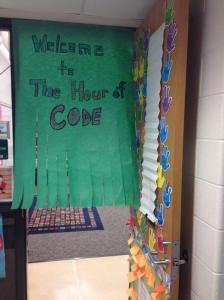
I arrived early to school this morning to develop some interest.  Taking an idea from last year’s Pi day and #tlap, I generated some interest near the entrance of the classroom.

hourofcode

Students entered and we discussed the idea of what coding really entails.  The class made some connections between coding and games.  Eventually we watched the video below.

The students were excited to see some of the celebrities in the video, especially the President, Bill Gates, Steve Jobs, Dwight Howard and Chris Bosh.    I felt like the videos helped bring more clarity to the term coding.  Keep in mind that these students are in grades 3 – 5 so the clarification definitely seemed to help.  The class then moved on to the video below.

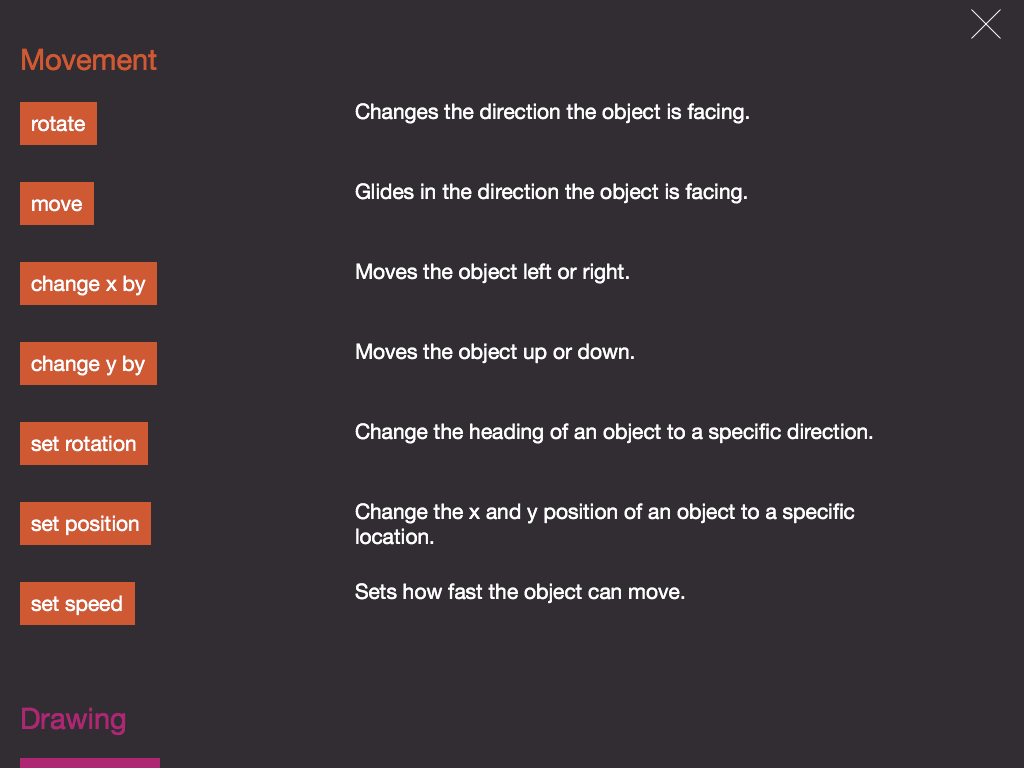
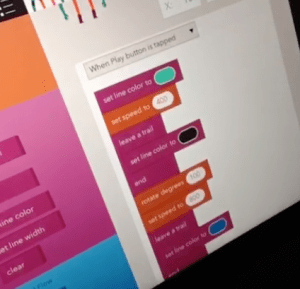
As a class we completed the first few levels of the Angry Birds coding exercise. Students started to become even more engaged in the activity as we moved to more individualized coding.  I used the iPads and the app Hopscotch for the next activity.  I modeled some of the basic functions of the app and reviewed the directions / vocabulary.

Directions

Many of the terms, such as rotate, x/y axis, position and others were review as my classes are in the midst of a geometry unit.  It was also good to point out that these vocabulary words can be found outside of the text-book … definitely an #eduwin. Students were asked to create lines of code that showed transformations, reflections, rotations, scaling, all  while drawing different shapes.  The students were up to the challenge and came up with some interesting examples.

Code Example

I had a few students that expressed interest in researching how to code at home, so I ended up putting a link on my classroom website.  Overall, this was a great activity and I’m glad my students were able to participate.  I look forward to seeing what students are able to create with their newly acquired coding skills and what additional interest develops.

Student Content Creators – Prezi

Using Prezi Presentations in Math Class

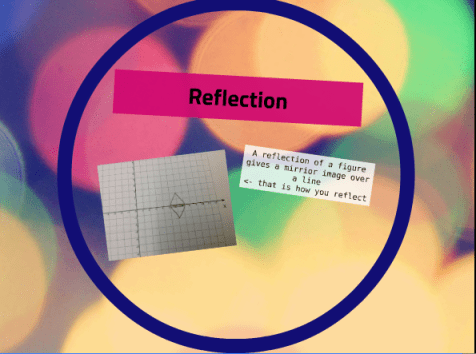
My students have used a variety of iPad content creation apps this school year. During the past few weeks my math students have built their Prezi presentations.   Students chose a specific topic within the current unit to present and have compiled their Prezi during the past couple days.  The process started when the Prezi rubric was created. A rubric was compiled by the class and students followed the document to complete their Prezi.

Rubric

The Prezi presentations are being utilized to showcase student understanding of specific math concepts.  The students are now in their last editing stages before they present. They will present on the topic during the next week.

Using Prezi

Sample Screenshot

Today I decided to take some pictures to document our journey.  I observed many things happening in the classroom.  I found that students were moving around the classroom, reviewing the Prezi rubric, taking pictures with the iPad, researching practical problems, using the whiteboards, using other apps to modify pictures, and exporting their presentations.   What I found especially interesting was that all of the activities were being done independently.   Students were taking ownership of their own learning and finding solutions to the problems that they encountered. Another thing that I observed was that students were showing perseverance skills, especially when troubleshooting problems involving taking/editing pictures and importing files into Prezi.

These skills are especially important and definitely help the students in/out of the classroom. Through this process I’m finding that students are becoming more confident in using technology and also in themselves as they showcase their learning.

Student content creators is a blog post series.  Click on the links that follow to find additional posts related to how EducreationsInstacollageHaiku Deck, Playback and Prezi can be used in the classroom.

Student Content Creators – InstaCollage

Dylan

My school’s second grade measurement unit began last week.  By the end of the unit students are expected to be able to measure objects in metric and U.S. Customary units of length.  The students are now starting to measure items in the classroom to the nearest centimeter.  One of my colleagues in a school nearby mentioned that their classroom was having a challenging time measuring different objects.  Students were performing consistent errors, such as measuring using the wrong side (cm vs. inch), not starting the measurement at zero, measuring with the ruler at an angle, not lining up the ruler and object, using the ruler as a helicopter propeller (okay … maybe not the last one).  Anyway, students were getting all types of different measurements and my colleague was getting a bit flustered over the issue at hand.  The teacher continued to teach the concept over the next few days and then decided to assign a brief formative checkpoint to assess student understanding.

We ended up discussing the possibility of using Showbie and InstaCollage app (free version) for this project.

Photo Nov 20, 6 49 20 PM

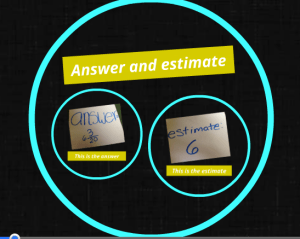
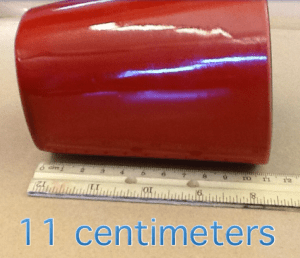
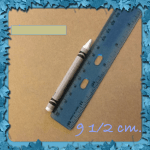
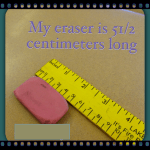
Students were given two minutes to find an object in the classroom that was less than 30 centimeters in length and bring it back to their desk.  They then opened up the Instacollage app and took a picture of the item with a ruler.  The text feature was used to label the measurement.

object

The ruler needed to be lined up correctly to measure the object to the nearest centimeter.  Students were asked to add their name and the measurement to the photo.  Once the students edited their projects they saved the project and imported it into Showbie.

Import

Once everyone was finished, I reviewed the different projects to assess understanding.  Some students were asked to redo the project.  Most were able to immediately identify the error, correct it and resubmit the project within a few minutes.

I’m planning on showing the students their projects during the next class session.  Not only was this an opportunity to assess learning, but it will also be available in a digital format for retrieval.  I’m looking forward to sharing this with other colleagues.

Student content creators is a blog post series.  Click on the links that follow to find additional posts related to how Educreations, InstacollageHaiku Deck, Playback and Prezi can be used in the classroom.

Student Content Creators – Playback

Student Content Creators

One of my goals this year is for students to take more ownership of their learning.  To do this, this year I’ve been focusing on student digital content creation.  I believe that students at any age can show their learning in a variety of ways.  How that learning is measured and the accountability involved can be contentious, as states and districts measure student learning through standardized assessment programs.

I believe my math students need to be able to demonstrate their learning through a variety of modalities.  One way in which my students are showcasing their learning this year is through digital projects.  In the past students have created Educreations and HaikuDeck projects. These projects gave my students opportunities to use a tool that they weren’t familiar with, understand the digital content creation process, express themselves, highlight the learning that’s happening in class through a presentation, and reflect on the learning process.  Most students would prefer to use a technology tool to demonstrate their learning, as opposed to a standardized test/worksheet.

While searching for additional free student content creation apps I came across a lesser known app called Playback.  The developer is actually located in Christchurch, New Zealand.  My students took a quick field trip via GoogleMaps to find out where Christchurch was located.  I took a few screenshots of the app and they are below.

Playback App

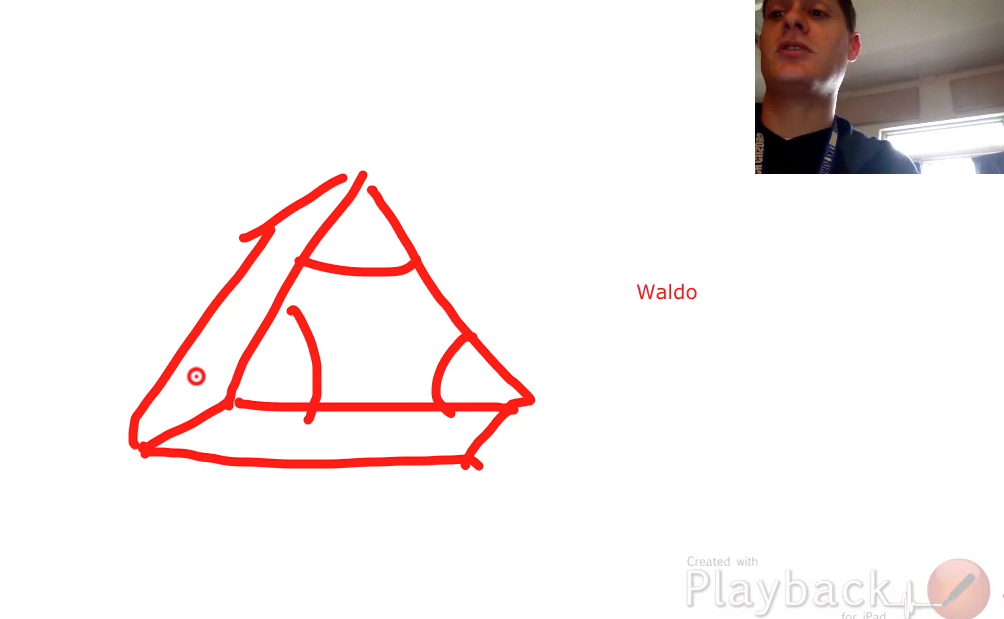
 Playback is a free app that allows students/teachers to create a screencast with a video of themselves demonstrating some type of lesson.  Students can use a stylus and draw on the screen by hand or text, as a streaming video can be recorded at the same time.

Example

There are a few limitations thought.  The app can record presentations up to one minute in length (for the free version).  The 60 second limit might make a few teachers cringe as it’s not a ton of time to teach a lesson.  I didn’t mind too much as it helped the students become more concise while explaining their math procedures and calculations.  The videos can then be exported to many different apps.  I tend to have my students export their video to Showbie.

Exporting the movie

I believe this app could be used for many different purposes.  Students in my class were asked to teach a lesson related to a specific content goal.  Students were given the opportunity to choose one objective and teach it in any way they found necessary using a rubric.  The rubric is still a work in progress as I’m fine-tuning some of the criteria.  I was impressed with their ability and creativity during the content creation process.  The class reviewed all the presentation last week in preparation for the upcoming test.  One of my younger students told me that everyone is an “expert” at some concept in the unit.  How true.   I develop a larger smile when I hear comments like that.


Student content creators is a blog post series.  Click on the links that follow to find additional posts related to how EducreationsInstacollageHaiku Deck, Playback and Prezi can be used in the classroom.

Student Content Creators – Haiku Deck

Using Haiku Deck in Math
Creating Student Presentations in Math Class

This year I’m using more student created math projects in the classroom.  Over the past two months my class has had two of these types of projects and both projects were well received.   I’m finding that these projects are enabling student to create original digital content.  Not only is the content being created by students, but that content is being shared with the world. The assignments align with CCSS and the eight mathematical practices.  I’m finding that student content creation, whether digital or not, can be utilized to assist in measuring student understanding.  I believe that these projects are providing yet another way for students to express and construct a product of their own, while showing mastery of certain math objectives.  Since the products are digital, they’ll always be available for students to reflect on and share with others.

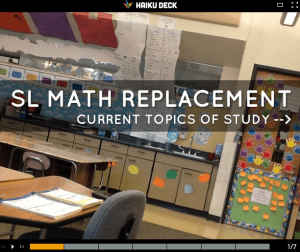
Our newest project revolves around using the app Haiku Deck.  I first found out about it through my amazing PLN and started experimenting with the app.  I ended up creating a brief Haiku Deck (see deck below) that communicates the current topics of study in my math class. What’s great is that I’m able to update the deck from my iPad without logging in and changing my website manually.  Anyway, I saw the potential that this app had so I decided to use it with my students.

For the project, students were given a list of different math objectives for the unit and asked to become “experts” in a certain area.  Students were given an opportunity to pick a particular topic and asked to create an instructional presentation on that particular objective.  The project was definitely open to interpretation, so I offered a rubric to clarify expectations. Students were expected to create an essential question, brainstorm, collaborate with others, use the peer-review process, and present their projects to the class.

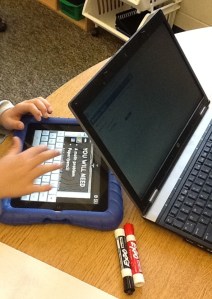
Once the students receive the rubric they begin collecting classroom pictures to import into their presentation.  Students often gravitate towards taking pictures of different math manipulatives that match their presentation topic.  Whiteboards and dry erase markers are also used during this process. The pictures are then imported into the presentations and text is added.

Using HaikuDeck
Using HaikuDeck

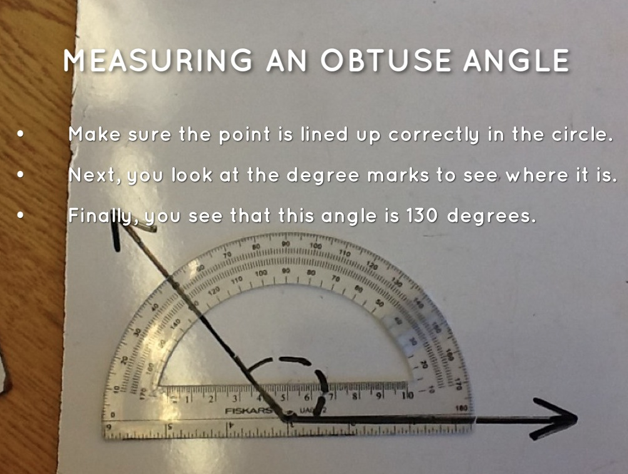
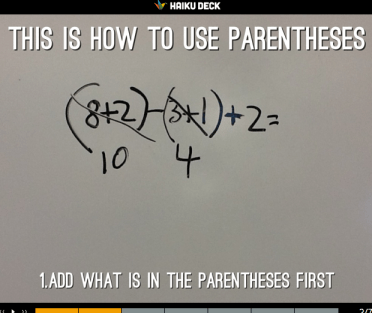
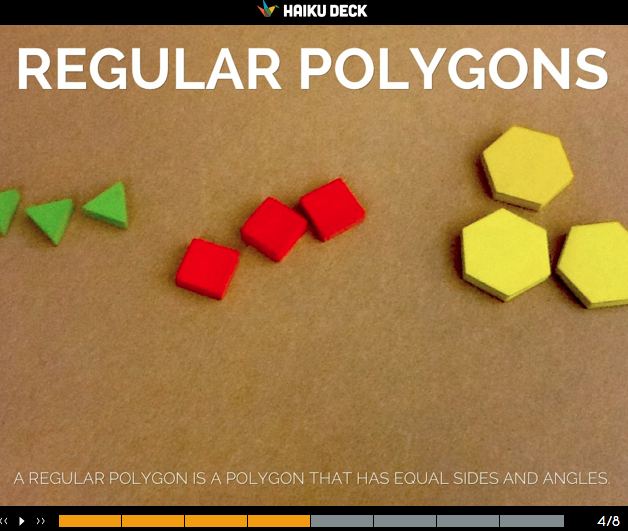
Slides are formatted accordingly and a peer edit session ensues before students turn in their projects to Showbie.  Afterwards, students complete a reflection sheet that documents their  journey during the learning process.  This Haiku creation process took my class around two hours to complete over a two-week time period.  Feel free to click here or here to see some sample presentations.  You’ll find a few example screen shots below.

Using Parentheses

Screen Shot 2013-10-27 at 10.54.42 AM

Student content creators is a blog post series.  Click on the links that follow to find additional posts related to how EducreationsInstacollageHaiku Deck, Playback and Prezi can be used in the classroom.

Student Content Creators – Educreations

Showing our learning through content creation

During the past few days my class has had elaborate discussions regarding the importance of student ownership and the learning process.  The class agreed that being able to explain our mathematical thinking is important.  Many of the math projects that I assign focus in on the eight mathematical practices and highlight the ability to articulate the “how” and “why” certain steps are/were taken.  That process can enable students to understand math concepts more clearly and apply their learning.  The class then discussed how applying our learning can lead to innovation.  That conversation then cascaded into the importance of being an innovator today and how modern-day technology often evolves through the refinement of ideas.  These ideas may come from inventors or entrepreneurs that take a risk and create a new product/idea.

One of my goals this year revolves around the concept of enabling students to be digital content creators.  Digital content creation happens all the time and there are many examples (positive/negative) of this.   I want to encourage my students to create ideas, projects and connections this year.  So earlier this week I noticed that @mwhitedg posted a tweet with the #dg58learns tag about how his class is now using the Showbie app to turn in digital content.  This idea intrigued me as one of my focuses this year is to have students create digital work for their eportfolios. One of the main problems that often exist at the elementary level is that students aren’t allowed/don’t have email addresses, so emailing work to the teacher can be problematic. It seemed that this particular app might help solve this problem.  I discovered the Showbie app that night and started to look at what student content creation apps exist. I found plenty and many content creation apps that I haven’t heard about. Click the below image to access the site.

Showbie
Showbie

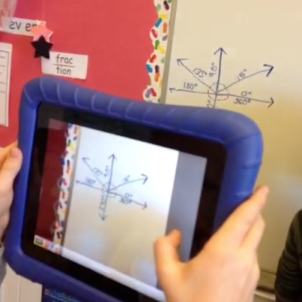
I’m familiar with the app Educreations and used it as a primary whiteboard in the past; not delving too deep into it’s capabilities.   After finding Showbie, I begin to upload my student roster into the Educreations site and started to find that the app has potential.  The next day I modeled the app with the class and showed students how to login and send assignments via Showbie.  My students were asked to compare prime and composite numbers (4th grade) and compare a kite and rhombus (3rd grade) with Educreations.  I allowed the students to explore the different functions of the app.  Most students found a comfy and quiet place in the room to record their lesson.  Without even telling the students, some started taking pictures of objects in the classroom and importing them into their lesson.  After 20 minutes, all students were done and submitted their videos.  As a class, we reviewed the videos and made a plus/delta chart on the quality of the projects.  Below you will find some sample screen shots of the projects.

We learned a lot about the Educreations app and how to position the iPad while speaking (hint: don’t cover the microphone or move the iPad with force). The class also had a conversation about the importance of having guidelines during the creation process.  In the future we’ll be using a form of this rubric and possibly work in groups to create a number of projects this year.  This may change though, depending on the quality of the projects and learning experiences that are in our future.  The students were extremely excited to view their content and thrived on the idea of being able to create their own work.  Moreover, I found that five students actually went online and viewed their creation video over the weekend.  Becoming a responsible digital creator is an important skill to have and I believe we are starting to make headway.

How do you encourage student creation at the elementary level?

Student content creators is a blog post series.  Click on the links that follow to find additional posts related to how EducreationsInstacollageHaiku Deck, Playback and Prezi can be used in the classroom.


photo credit: zetson via photopin cc

Math Podcast Project

Math Podcasts

For the past few years my students have completed a classroom evaluation form near the end of the school year.  The purpose of the evaluation is to reflect on  the progress made throughout the year and to highlight beneficial learning experiences.  Based on past survey results, students seem to rate learning experiences related to technology and collaboration higher than independent projects.  Not a big surprise here, but my elementary students seem to thrive when given a choice on how to present content with a technology component.

One of the more highly rated projects this year was the inquiry based math podcast project. The math podcasts gave students an opportunity to use technology and incorporate creativity into their projects.  Notice I said their.  I think what helps make this project so beneficial is that students take ownership of the project. That ownership isn’t often related to any extrinsic reward (maybe peer pressure?), but a self-conscious effort to communicate what they’ve learned.  Many students noted the topic of student ownership and this project on the end-of-year evaluation.

As with any student project, there were guidelines and a lot of planning.  I used a rubric to help guide the projects along and had specific check-in points to give feedback.  Time can really get away from the teacher if guidelines aren’t established and enforced.   Click on the images below to find Gdoc templates.

Script
Rubric

The students were split up into groups of two to complete the project.  The teams were randomly chosen.  Each team received the directions and a rubric page.  Each team then created a script that was eventually approved by the teacher.

Script
Script

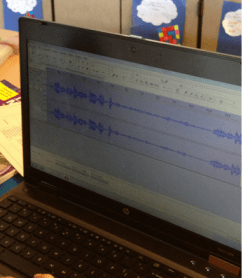
The students were given approximately 30 – 60 minutes once a week for approximately two months to work on this project.  The free program Audacity was used to create and mix the recorded sounds. Creative Commons sound effects were used and can be found with a quick Google search.   This can also be an opportunity to have a conversation about attributing credit to sources.  Some students needed extra time and it was given.  Student groups then presented their podcast to the class and answered questions from the audience.  The projects were then shared with the community.  Overall, I thought that the skills reinforced/learned through this activity justify the amount to time that was dedicated to the project.  I’m hoping to incorporate more of these projects into my classroom next year.

How do you use math projects in class?


Using Skype to Learn about School Communities

Screen Shot 2013-05-30 at 8.52.11 PM

Throughout this school year my class has been focusing in on the topic of community. The class has engaged in learning activities related to building a positive classroom community of learners.  We’ve co-created anchor charts and thoroughly discussed what our learning community looks like.  While searching for new ideas, I came across a unique idea … a classroom was going to have a Skype session with many different schools across the world about the topic of community.  I decided to sign up for this activity a few weeks ago.

Screen Shot 2013-05-30 at 8.54.12 PM

Before the Skype, guiding questions were developed by the host.

Screen Shot 2013-05-30 at 9.01.20 PM

I confirmed my class’s participating with Katy and my students were split into three groups. One group became the welcoming party.  Students created signs and communicated the school’s demographic and geographical data.   The second group was designated as the research group.  This collection of students researched information about the local and school community.  In doing so, the students also were reminded of how much of an emphasis we put on creating a positive learning community in the classroom.  This group put together a small presentation for the 5A class (Katy’s class).  The third group, the questioning group (still looking for a better name for this group), was directed to create at least 10 questions that the 5A school would answer.  This group was also expected to answer the questions that were asked from the other school.

Today my class had a chance to Skype with Katy’s class from New York City. Katy’s tireless fifth grade class engaged in approximately 15 different Skype sessions in one day – that’s some perseverance.

Screen Shot 2013-05-30 at 8.51.58 PM

The Skype session involved both schools discussing the topic of community.  My class learned about 5A’s class community and they learned about ours.  The total session lasted around 25 minutes.  Afterwards, the class reviewed and compared the two communities.  My class was especially intrigued that 5A had recess on the roof!

This  method of comparing communities through Skype seemed to enhance the learning experience.  Soon after the Skype session ended, my students wanted to research other communities around the world.  This may be a kick-off to #geniushour projects in the fall.

What do you think?  Have you tried Skyping with another class to learn about community?

Using Twitter and Vine in School

Sharing

Parent/teacher communication is key in and outside of the classroom.  Educators, no matter what level they teach often communicate with parents through face to face conversations, emails, phone calls, and letters.   Generally, elementary teachers type up a weekly/monthly letters to parents informing them of the happenings in the classroom.  This letter writeup has been a staple in many classrooms, including mine.  Depending on the individual situation, more communication from the school can benefit the school community.  Over the past few years new communication methods have started to change the informing landscape.

As they should, parents often want to know how their child is progressing and what’s happening in school.  Keeping community members informed and aware of classroom happenings can create more clarity and demonstrate the learning that’s happening.  This information can also bridge home and school connections.  Beyond the classroom monthly letter, pictures and videos can bring memories and school discussions back home to parents.  This provides parents with opportunities to discuss events and activities that are happening in the classroom. I feel as though this benefits the parent/teacher/school relationship.

I’ve found the three methods below to be valuable in communicating  information to the school community.


Twitter:  Having a classroom Twitter handle has the potential to improve communication with the community.  In an effort to use less paper, some teachers have utilized Twitter to link important documents, such as parent letters, pertinent assignments, homework, and classroom expectations.  I’ve had great success using Twitter to communicate to my stakeholders.  Having a classroom Twitter account can also help engage your parents in using social media.  Twitter also allows two way communication, as parents can send direct messages or Tweets back to the teacher.  If you were ever wondering how to use Twitter in your classroom, visit Lee Crocket’s 60 ways to use Twitter in the classroom.   I should also mention that by setting up your own Twitter account you can also use Twitpic and Vine, which I mention below.

Twitter Example
Twitter Example

Twitpic:  A picture is worth a thousand words, right?  Whether you agree or disagree, Twitpic can illustrate what’s happening in the classroom.  Twitpic can also be connected to your classroom/school Twitter account.  Classroom activities and discussions can be documented with the Twitpic app.  A teacher can take a photo with the app and automatically upload it to their classroom Twitter account.  I’ve found that embedding your Twitpic pictures on a class webpage can look like an ever-changing  photo gallery of your classroom.  Parents are able to view the gallery of pictures any time they visit your classroom webpage.  This encourages engagement at home and gives students an opportunity to verbally construct a caption for their parents.

Twitpic Example
Twitpic Example

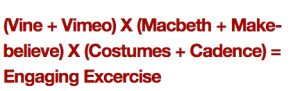
Vine:  If a picture is worth a thousand words, what’s a six second video worth?  Some would call Vine a video recording device, but I use it as a communication device.  Vine can connect to your classroom Twitter account.  When parents click on the Twitter Vine link, a new page will pop out that displays the video.  Here’s an article that shows a few different ways to use Vine in the classroom. I’ve used Vine to show how students use math manipulatives, present projects, work collaboratively, classroom arrangements, iPad usage, and many more activities in the classroom.

Vine and Macbeth Example
Vine and Macbeth Example from @morgetron’s class blog

There are many different ways to communicate all the great things that are happening in your classroom.  I just emphasized three in this blog post.  What are you favorites?

* Image credit:  Mim