Comics/cartoons have been used to communicate important issues for many years. Education has even been part of the comic movement. Susan O’hanian has demonstrated with her website how cartoons can communicate and start important conversations. I’ve tinkered with comics in my math classroom this year.
I believe that humor has a place in the classroom. Comics can bring in a humor aspect, as well as practicality and motivation that can engage students. My students are starting their algebra unit this week and I’ve been looking for new ways to introduce combining like terms and solving for unknown variables. In the past I’ve used Hands-on-Equations and different types of narratives that explain how like terms can be combined. After a lot of searching, I ended up using pages 5 – 8 in this pdf to help introduce the concept this year. Students responded well to the comic and I believe it helped them complete the activity in the document below. I used one of the practice sheets as a model and the second sheet was completed and shared in student groups.
When I look back at some of my favorite K-12 teachers, many of them were able to connect and build rapport with students quickly and use humor appropriately. I’m going to explore how to use comics a bit more in my classroom over the next few weeks. I may even have students create their own through comic creator apps on the iPad.
I spent the majority of this past week visiting with friends and family. My destination ended up being in snowy and icy northern Michigan. The house that I was staying in lost power for five straight days. Thankfully the house had an efficient fireplace and a small gas-powered generator that ignited a few space heaters to keep one of the rooms fairly warm as outside temperatures hovered around 20 degrees.
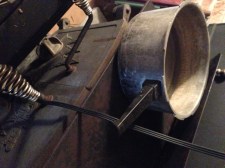
In normal circumstances, the first person that wakes up in the house starts to brew the coffee for the family. Since we had no power the coffee machine wasn’t an option. You see, my family definitely enjoys their coffee. Being official coffee addicts my family has a decent understanding of the integral parts of the coffee-making process: hot water, filter, coffee grounds and cup. The one missing ingredient in this process was the hot water. One of the family members found a pan and began to boil water on top of the fireplace.
The water was then used to complete the coffee making process. Success! All of the family was able to sit around the fire and drink our coffee.
As you can imagine or already know, they’re many ways to make coffee. My family knows this and that understanding led us to a solution that was adequate. We substituted a different process in the coffee making flowchart and arrived at decent tasting coffee. Regardless of the process used, the user ended up with the same solution. In the end some type of hot coffee was served. Understanding the key components of any process allows opportunities to substitute yet arrive at the same solution. Because my family knew the process in-depth we we’re able to substitute the missing item and still have the same result. I feel like this type of thinking applies to the classroom.
Having a limited understanding of place value and number sense can limit opportunities for students. Students need to be exposed to an array of methods to complete problems, not just shortcuts. Only understanding the formula/shortcut doesn’t necessarily show mastery of a particular concept.
At the upper elementary level students are expected to find the product of 3+ digit numbers. If students have been exposed to using only the traditional method to solve these types of problems they know how to multiply large numbers using one method. Although that process might be effective for them, it doesn’t cement a deep understanding of multiplication. Students often have problems when decimals are introduced when finding the product of these types of problems. Having a more in-depth understanding of place value and multiplication can give students the tools to solve more complex math problems.
On the other hand, if a student has been given opportunities to use repeated addition, partial-products, lattice and traditional methods, students might have a better understanding of the role that place value has in the multiplication process. Having that understanding of place value will help students when they approach decimal computation and throughout their academic career. Having multiple tools/strategies also encourages students to be independent and choose the correct method to find a solution. Even more important, students that are then able to apply their mathematical understanding to practical situations (beyond the test) can often immediately see the benefits.
In the end my family used the tools that we had (fireplace, metal pot, water) along with other materials (coffee filter, ground coffee, cup) to create coffee that we all could enjoy. If we were fully reliant on just the coffee maker and electrical power, we wouldn’t have had coffee to drink. Understanding the details of the process and that there are multiple ways to find a solution is an important skill to have as adults and as students in the classroom.
The power came on and I believe we all found a newly acquired appreciation for the electrical grid in Michigan. Our coffee story is unique and yet I feel as though it’s mathematically relevant as teachers will be back in the classroom to start the second half of the school year. Enjoy the rest of 2013 and I look forward to a successful 2014.
Over the past few years I’ve noticed a trend in elementary schools across the nation. A growing emphasis has been placed on controversial high-stakes standardized assessments. Too many, this isn’t really a surprise. Most, not all, state standardized assessments at the elementary level focus in on the subjects of reading and math. Don’t get me wrong … both of these subjects are extremely important and school scheduling often revolves around them. Since I teach mostly math throughout the day I am grateful for the time that is dedicated to the subject. Math and reading can be foundational for other content areas to flourish.
The test taking emphasis with reading and math sometimes crowds out some of the time dedicated to other subject areas. Some of the subject areas that might be reduced because of that emphasis may include social studies, history, geography, art, science, etc. If the subject area isn’t part of the standardized assessment schedule it might not get priority instruction time. This doesn’t happen in all circumstances, but it does happen.
I’ve had the wonderful opportunity to work with talented elementary teachers that have a passion for their social studies and science content areas. These teachers bring a contagious energy to their subject and make social studies and science a priority in the classroom. I appreciate these teachers and the effort they put into their craft. One of the teachers organized our school’s first ever Geography Bee this year.
I was given the opportunity to serve as a cohost for this event. Being primarily a math teacher, I was looking forward to helping out with our school’s first Geography Bee and thought that many of my math students would be part of the bee. Many of my students expressed interest in participating.
To start preparing for the event, about 40 students started attending weekly geography study sessions after school or during their recess times. These sessions occurred approximately one month before the bee was scheduled to start. Students that were interested started using iPad apps, websites and geography study materials to review locations all over the world. As the event came closer more practice sessions were attended by the students. Teachers volunteered to host the practice sessions in their classrooms during this time.
The culmination of all the practice ended when the Geography Bee began yesterday. Parents of the community were asked to attend and cheer on their child and other contestants. It was great to see the community support each other and our school. Approximately 30 students participated in the event that was hosted by eight teacher volunteers. The preliminary, final and championship round came and went. Overall, it was a worthwhile experience and I feel like it helped build the community and school partnership.
It was great to see students receive recognition for an accomplishment that wasn’t tied to the staple reading and math curriculum or mandated on a standardized assessment. Exposing students to a variety of concepts and curriculum opportunities can help students discover their own passions. I can think of genius hour and the hour of code as two examples that can lend itself for students to start developing interests that may eventually become passions. Creating a classroom/school environment that fosters an appreciation for learning is important and shouldn’t be lost.
My class decided to take part in the Hour of Code Challenge today. Yesterday I began following the #hourofcode hashtag. The tag was helpful in coming up with a few ideas that I could use in the classroom. Specifically, I decided to expose my elementary students to the idea of creating content through basic coding. My students have created digital content throughout the school year and I thought this would be a good connection point. Also, a few students and parents expressed interest in coding clubs that are available at a nearby university.
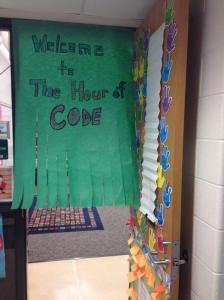
I arrived early to school this morning to develop some interest. Taking an idea from last year’s Pi day and #tlap, I generated some interest near the entrance of the classroom.
Students entered and we discussed the idea of what coding really entails. The class made some connections between coding and games. Eventually we watched the video below.
The students were excited to see some of the celebrities in the video, especially the President, Bill Gates, Steve Jobs, Dwight Howard and Chris Bosh. I felt like the videos helped bring more clarity to the term coding. Keep in mind that these students are in grades 3 – 5 so the clarification definitely seemed to help. The class then moved on to the video below.
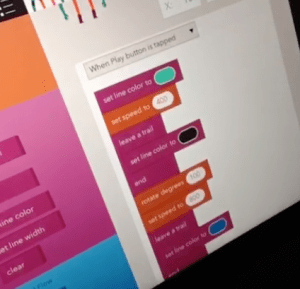
As a class we completed the first few levels of the Angry Birds coding exercise. Students started to become even more engaged in the activity as we moved to more individualized coding. I used the iPads and the app Hopscotch for the next activity. I modeled some of the basic functions of the app and reviewed the directions / vocabulary.
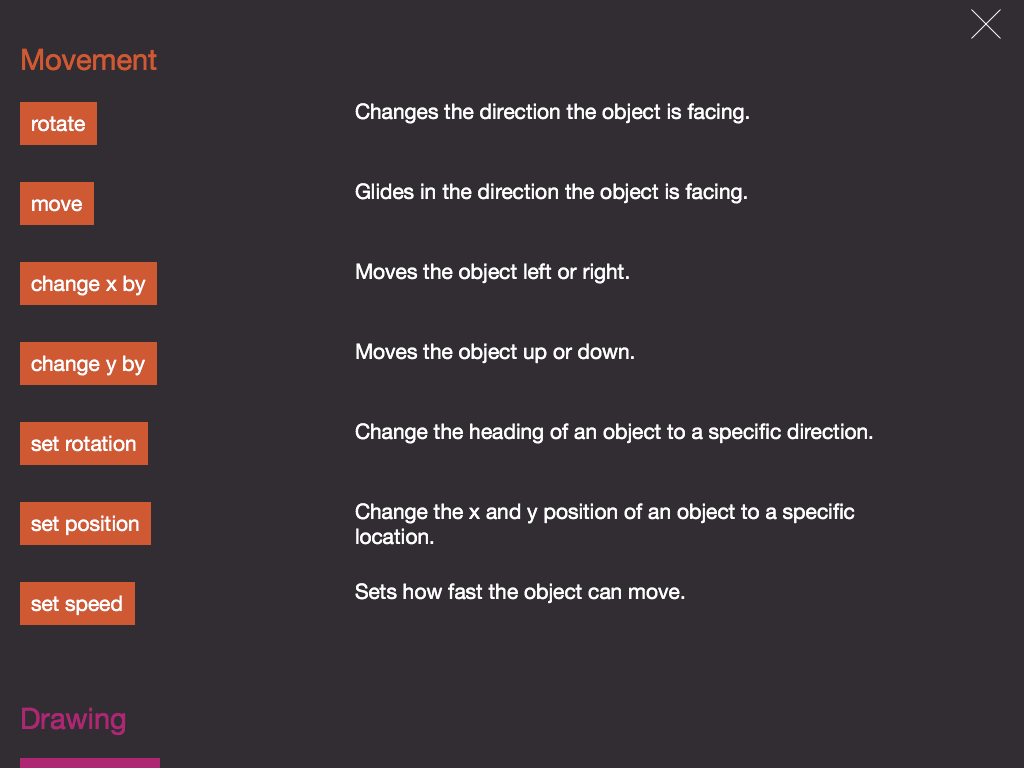
Many of the terms, such as rotate, x/y axis, position and others were review as my classes are in the midst of a geometry unit. It was also good to point out that these vocabulary words can be found outside of the text-book … definitely an #eduwin. Students were asked to create lines of code that showed transformations, reflections, rotations, scaling, all while drawing different shapes. The students were up to the challenge and came up with some interesting examples.
I had a few students that expressed interest in researching how to code at home, so I ended up putting a link on my classroom website. Overall, this was a great activity and I’m glad my students were able to participate. I look forward to seeing what students are able to create with their newly acquired coding skills and what additional interest develops.
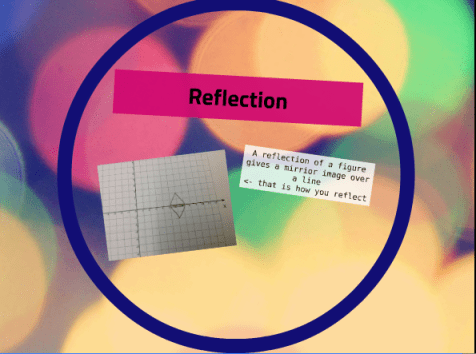
My students have used a variety of iPad content creation apps this school year. During the past few weeks my math students have built their Prezi presentations. Students chose a specific topic within the current unit to present and have compiled their Prezi during the past couple days. The process started when the Prezi rubric was created. A rubric was compiled by the class and students followed the document to complete their Prezi.
The Prezi presentations are being utilized to showcase student understanding of specific math concepts. The students are now in their last editing stages before they present. They will present on the topic during the next week.
Today I decided to take some pictures to document our journey. I observed many things happening in the classroom. I found that students were moving around the classroom, reviewing the Prezi rubric, taking pictures with the iPad, researching practical problems, using the whiteboards, using other apps to modify pictures, and exporting their presentations. What I found especially interesting was that all of the activities were being done independently. Students were taking ownership of their own learning and finding solutions to the problems that they encountered. Another thing that I observed was that students were showing perseverance skills, especially when troubleshooting problems involving taking/editing pictures and importing files into Prezi.
These skills are especially important and definitely help the students in/out of the classroom. Through this process I’m finding that students are becoming more confident in using technology and also in themselves as they showcase their learning.
Student content creators is a blog post series. Click on the links that follow to find additional posts related to how Educreations, Instacollage, Haiku Deck,Playback and Prezi can be used in the classroom.
I’ve been fortunate to have an opportunity to participate in #MTBoS over the past few weeks. It’s been a worthwhile experience to collaborate with math teachers around the world. I’ve been able to share/use many of the resources found through this community. This post is associated with #MTBoS mission eight.
My upper elementary students are now starting to dabble into a few algebra concepts and will be getting a formal introduction in the next few months. There’s algebraic concepts sprinkled through my district’s curriculum, but solving equations and inequalities isn’t formally introduced till March. That being said, I’m always on the lookout for additional algebra resources that help gradually emphasize the topic throughout the year. Otherwise, the unit kind of brings a sticker shock to the students that haven’t encountered writing or solving equations before.
I’ve used visual patterns and Hands on Equations in the past to prepare students for the algebra unit. Both have been beneficial in wetting the appetite for algebra. While searching for a few other resources I came across the msmathwiki. If you haven’t had a chance yet, check it out and maybe contribute some of your math teaching ideas. I was eventually directed towards @cheesemonkeysf ‘s post about the Words into Math game. I believe the idea was created by Maria and found in her post here. Two pdfs are included for this game, one informally termed beginning and one advanced.
1-3 AB
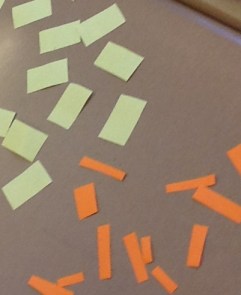
Both of the documents can be used to match equations and inequalities. They’re many ways to use this activity in the classroom. I decided to print one side on orange paper and the other on yellow. Students cut out each rectangle. The easiest way for my students to do this was to overlap the yellow and orange sheets and cut them at once. Both pages line up so it wasn’t that big of an issue. Students turned all the rectangles so the blank side faced them.
Students then took turns and were allowed to turn over one orange and yellow card. All cards that were turned over stayed that way. This is similar to a memory matching game except the cards all stay turned over. Students then took turns to see if they could match any of the visible cards. Each match resulted in one point.
As the games progressed students started to become more comfortable with using equations and inequalities. The game was over after all the game pieces were matched. Students then bagged up the game pieces for future use. I shared the ideas with a colleague at another school but haven’t yet heard how it went.
As the class becomes more familiar with algebra, it’s my hope that students are better able to connect past concepts to algebra topics later in the school year. This was an #eduwin for my class as we continue to explore algebra.
My school’s second grade measurement unit began last week. By the end of the unit students are expected to be able to measure objects in metric and U.S. Customary units of length. The students are now starting to measure items in the classroom to the nearest centimeter. One of my colleagues in a school nearby mentioned that their classroom was having a challenging time measuring different objects. Students were performing consistent errors, such as measuring using the wrong side (cm vs. inch), not starting the measurement at zero, measuring with the ruler at an angle, not lining up the ruler and object, using the ruler as a helicopter propeller (okay … maybe not the last one). Anyway, students were getting all types of different measurements and my colleague was getting a bit flustered over the issue at hand. The teacher continued to teach the concept over the next few days and then decided to assign a brief formative checkpoint to assess student understanding.
We ended up discussing the possibility of using Showbie and InstaCollage app (free version) for this project.
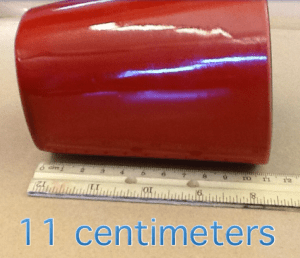
Students were given two minutes to find an object in the classroom that was less than 30 centimeters in length and bring it back to their desk. They then opened up the Instacollage app and took a picture of the item with a ruler. The text feature was used to label the measurement.
The ruler needed to be lined up correctly to measure the object to the nearest centimeter. Students were asked to add their name and the measurement to the photo. Once the students edited their projects they saved the project and imported it into Showbie.
Once everyone was finished, I reviewed the different projects to assess understanding. Some students were asked to redo the project. Most were able to immediately identify the error, correct it and resubmit the project within a few minutes.
I’m planning on showing the students their projects during the next class session. Not only was this an opportunity to assess learning, but it will also be available in a digital format for retrieval. I’m looking forward to sharing this with other colleagues.
Student content creators is a blog post series. Click on the links that follow to find additional posts related to how Educreations, Instacollage, Haiku Deck,Playback and Prezi can be used in the classroom.
Last Thursday marked the end of the first trimester grading period. After a few unit assessments, quizzes and special projects, my students are given a report card. The report card splits into two categories: academic grades and behavior skills. I tend to give my students their report card a few days before it’s actually sent home. Once the reports cards are passed out I find that students focus only on the letter grade. Not the personal teacher comments, learning strands, checked boxes, but the letter grade is what gets the focus. Over the past few years I’ve challenged this type of thinking and laser-like focus on grades. I’m slowly but surely moving my class towards a standards-based grading model, although the district requires teachers to use a traditional A-F model.
Before passing out the report cards this year, I gave my students an opportunity to journal about their math journey so far. Math journaling has been a larger part of my teaching this school year. Students use math journals in my class to complete different types of math problems and for self-reflection. I try to have the students journal approximately once every two weeks. During the journal time I turn off the lights in the classroom, turn on some music in the background and allow the students to go anywhere in the room to write up their response to the journal prompt. Some students stay at their desk while others find a hide-out in the corner of the room, on a comfy chair, or underneath a table. As the year has progressed students are beginning to ask to have additional time to journal.
This year I gave each student their academic file before journaling. Enclosed in the file were all the past unit assessments and quizzes that took place during the first grading period. Students were asked to analyze their own file and answer the questions below in their math journal.
What learning experiences stand out in your mind?
What do you feel are your strengths?
What would you consider a “growth” area for the next grading period?
What is one SMART goal that targets one growth area?
Create an illustration that matches any of the prompts above
After the students respond, I’ll review the responses and write short comments back to each student. This does take some time, but definitely worthwhile. I generally comment on their strength and ask questions that encourage students to reflect on their progress and growth areas. This process also gives me an insight into what a particular student thinks and values. By analyzing their own data, reflecting on progress made, and creating an action plan, I feel students are better prepared to take ownership of their own learning.
One of my goals this year is for students to take more ownership of their learning. To do this, this year I’ve been focusing on student digital content creation. I believe that students at any age can show their learning in a variety of ways. How that learning is measured and the accountability involved can be contentious, as states and districts measure student learning through standardized assessment programs.
I believe my math students need to be able to demonstrate their learning through a variety of modalities. One way in which my students are showcasing their learning this year is through digital projects. In the past students have created Educreations and HaikuDeck projects. These projects gave my students opportunities to use a tool that they weren’t familiar with, understand the digital content creation process, express themselves, highlight the learning that’s happening in class through a presentation, and reflect on the learning process. Most students would prefer to use a technology tool to demonstrate their learning, as opposed to a standardized test/worksheet.
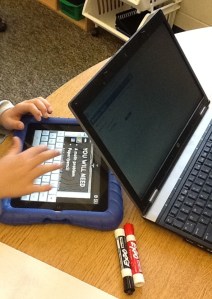
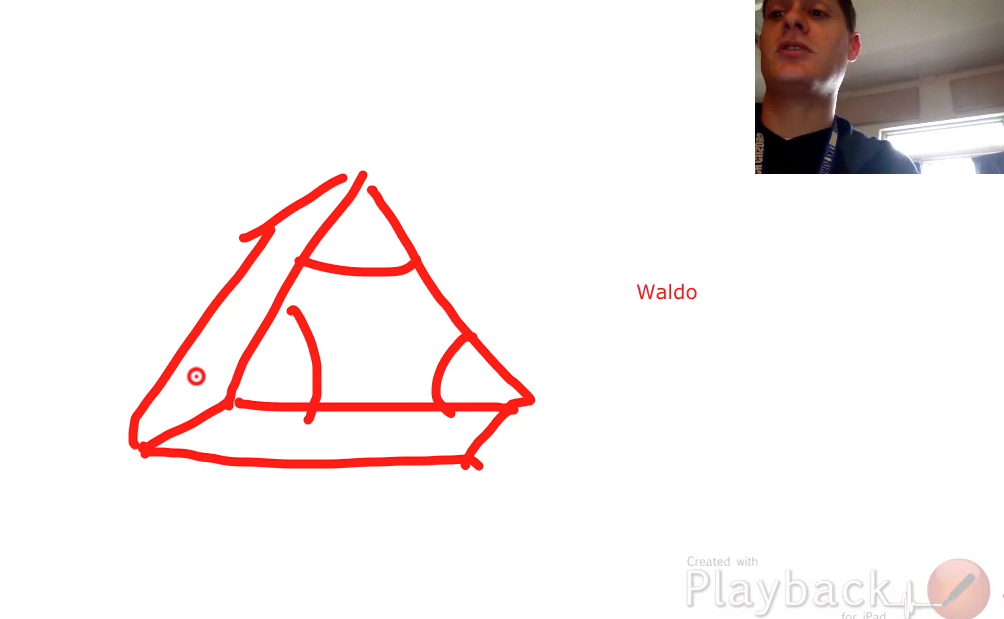
While searching for additional free student content creation apps I came across a lesser known app called Playback. The developer is actually located in Christchurch, New Zealand. My students took a quick field trip via GoogleMaps to find out where Christchurch was located. I took a few screenshots of the app and they are below.
Playback is a free app that allows students/teachers to create a screencast with a video of themselves demonstrating some type of lesson. Students can use a stylus and draw on the screen by hand or text, as a streaming video can be recorded at the same time.
There are a few limitations thought. The app can record presentations up to one minute in length (for the free version). The 60 second limit might make a few teachers cringe as it’s not a ton of time to teach a lesson. I didn’t mind too much as it helped the students become more concise while explaining their math procedures and calculations. The videos can then be exported to many different apps. I tend to have my students export their video to Showbie.
I believe this app could be used for many different purposes. Students in my class were asked to teach a lesson related to a specific content goal. Students were given the opportunity to choose one objective and teach it in any way they found necessary using a rubric. The rubric is still a work in progress as I’m fine-tuning some of the criteria. I was impressed with their ability and creativity during the content creation process. The class reviewed all the presentation last week in preparation for the upcoming test. One of my younger students told me that everyone is an “expert” at some concept in the unit. How true. I develop a larger smile when I hear comments like that.
Student content creators is a blog post series. Click on the links that follow to find additional posts related to how Educreations, Instacollage, Haiku Deck,Playback and Prezi can be used in the classroom.
This post relates to #MTBoS assignment four. For this mission I decided to listen to one of the Global Math Department‘s webinars. I came across GMD about a year ago and look back occasionally at the webinars that I miss. While reviewing I found the math games webinar back in January of last year, so that’s the one I picked for this mission. Plus, I’ve always enjoyed using math games (1,2,3) to review and believe that I can always improve in this area of my practice.
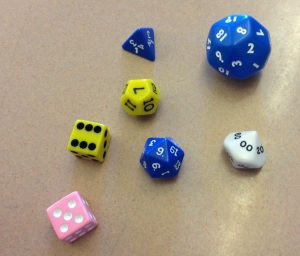
Math games have always been a part of my own teaching practice, but I want to learn how to use them more effectively. I’m fortunate to have a curriculum that highlights the use of math games in/out of the classroom. I use math games with my classes approximately once per week and primarily use them during math stations. Most of the math games that I use deal with dice, cards, and/or some type of online component. For me, the reason for using the games goes back to the concept of learning and engagement. I believe engagement can be heightened with the appropriate use of a math game. Math games also allow opportunities to develop skills related to critical thinking and problem solving. Also, guided math has played a role in how I use math games in the classroom. With a push for guided math at the elementary level, students that are not immediately with an instructor need to be able to engaged in mathematical thinking, self-govern themselves, and use their time wisely. Math games at a particular math station provide an opportunity to do just that.
Understanding what makes a good math game is important. Ensuring that the students are engaged is key. Students that drift their attention in and out of the game can cause issues; especially if the teacher isn’t directly at that particular math station. As I watched the webinar, I began to see affirmation and areas where I need to start thinking more critically about how math games are used.
A few takeaways/questions from this webinar include:
Always start with the objective
Does the math actually interrupt the game/fun?
Is the math action the same as the game action?
Time limits can encourage math anxiety
Games can be used to introduce concepts, not just for review
Games can encourage math exploration
Inferencing, prediction, critical thinking and logic reasoning can all be part of the game
Rote mathematics doesn’t have to be the emphasis of game
















 Educational Aspirations